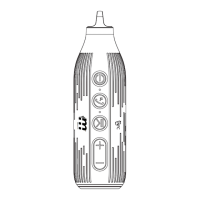
10. NFC: Near Field Communication, a quick bluetooth
pairing technology is paired through a non-contact
sensor. NFC can help make pairing of your bluetooth
mobile phone easier.
Switch on the NFC function on the mobile phone, and
then put the back of the phone near the NFC icon of the
speaker to scan. For the first connection, you will see a
prompt to accept the device.
You can also quickly disconnect in the same manner, by
placing the back of the phone near the NFC icon.
Note: your phone must support NFC for this function.
11. Bluetooth re-pairing: When bluetooth is out of
connection range, and bluetooth is disconnected, you
can re-establish the connection through the following
two methods:
1 Restart the speaker, it will connect to the last paired
phone automatically.
2 Through bluetooth search on the phone, find Rocket
and select it to connect again.
Product Features


 To Previous Page
 Loading...