E n t e r i n g & p r i n t i n g m e m o s
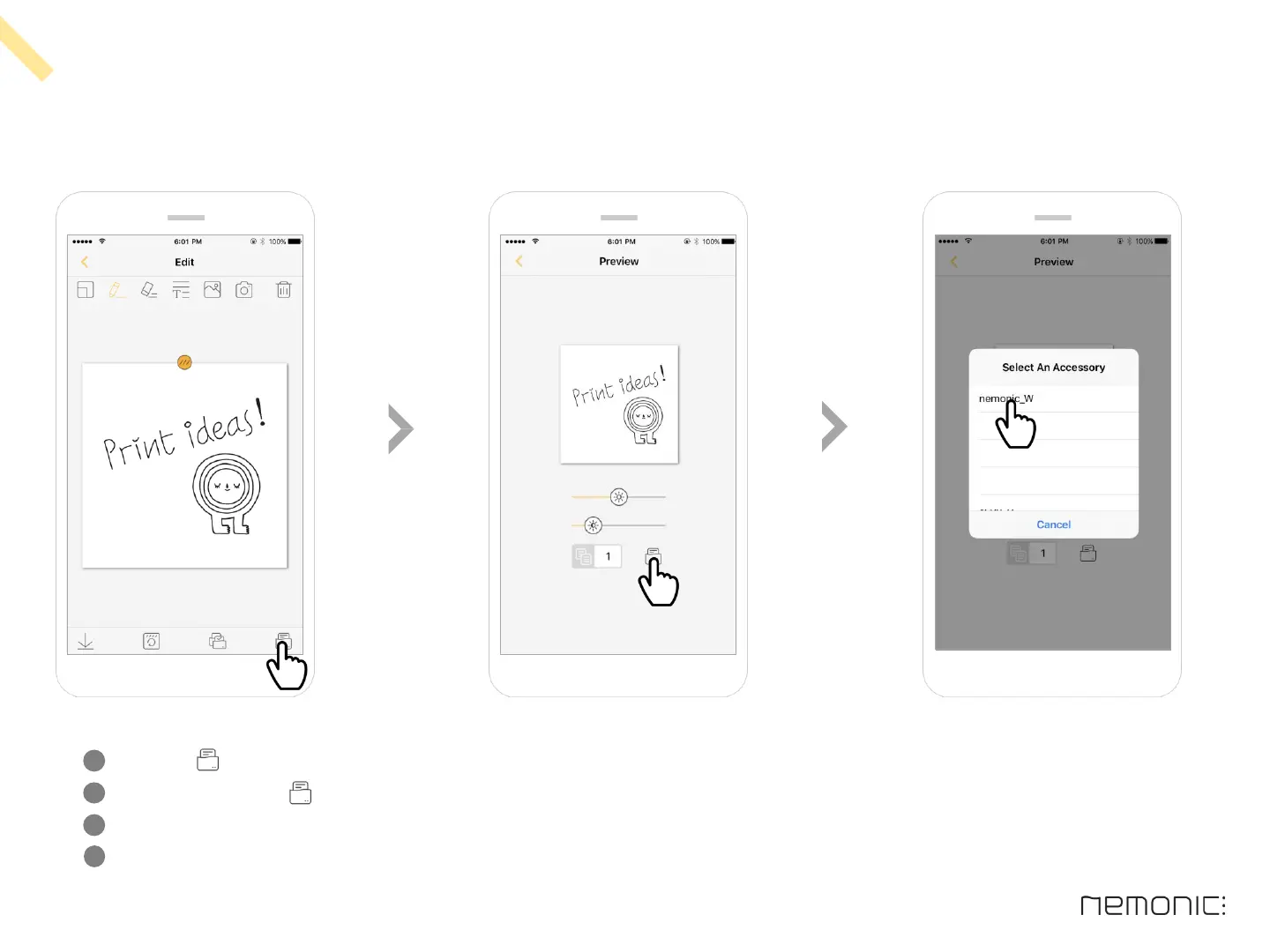
Click the Print button on the bottom right
At Preview, click the Print button
If no previous printing history exists, the ‘Select An Accessory’ pop-up appears where you can select the printer to use
On the next printout, the previously selected printer will be used automatically
1
2
3
4
17
How to use the iOS app


 To Next Page