W h a t t o d o i f p r i n t e r c o m m u n i c a t i o n i s u n a v a i l a b l e - 2
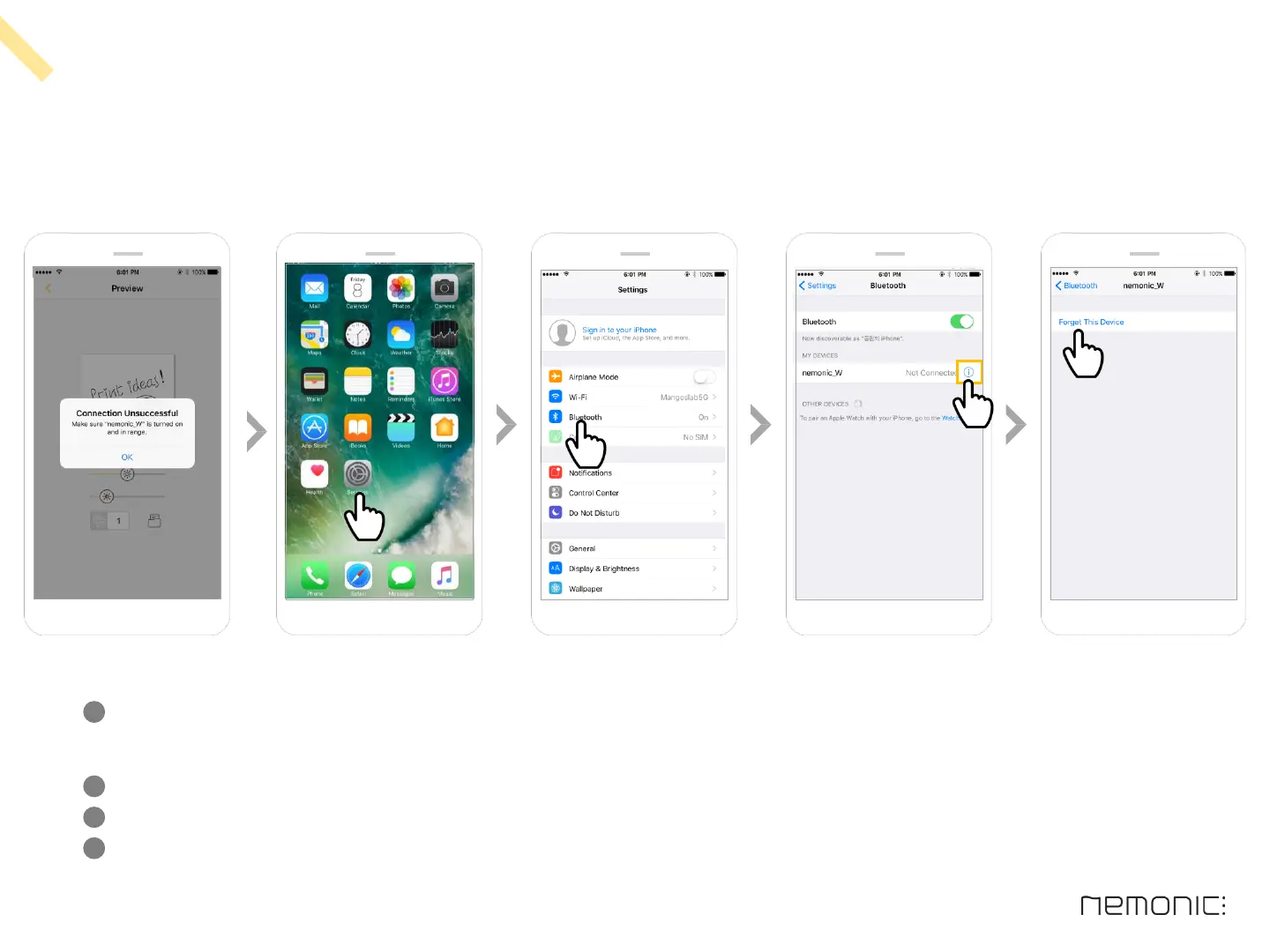
If you re-selected the new printer on the previous process, but still see ‘Make sure nemonic is turned on, in range.’,
refer to the below and delete previous printer history
-
Go to Home > Settings > Bluetooth
Remove the printer with previous connection history from the list (Click Forget This Device )
Retry printing on the nemonic app after removing the printer
1
2
3
22
How to use the iOS app


 To Next Page