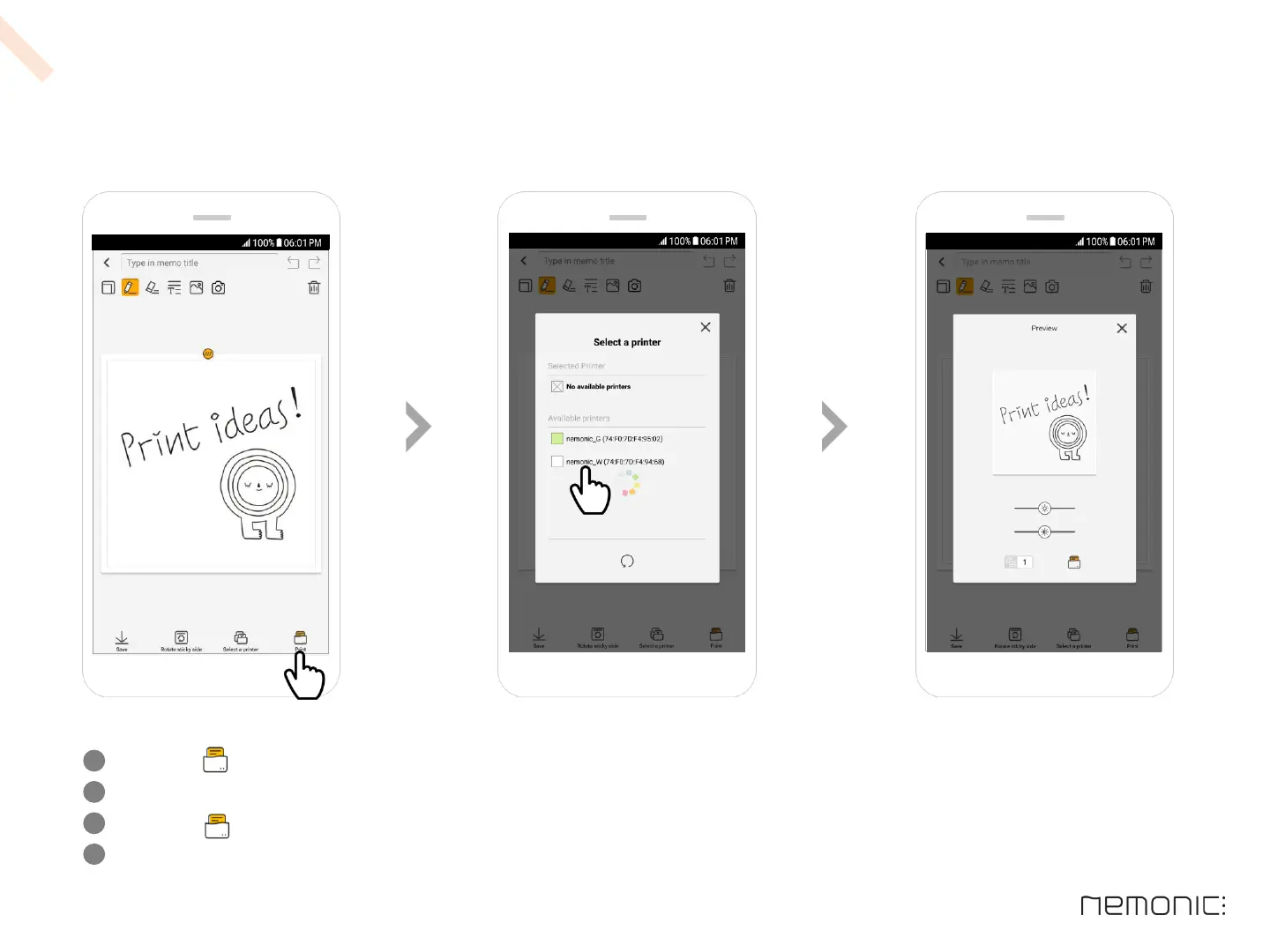
E n t e r i n g & p r i n t i n g m e m o s
Click the Print button on the bottom right
If multiple printers are found, a window for printer selection will appear where you can select the desired printer
Click the Print button on the bottom right of the preview screen
After initial printing, subsequent printing is automatically performed on the previously selected printer
1
2
3
8
4
How to use the Android app


 To Next Page