2
Thank you for purchasing the MANHATTAN
®
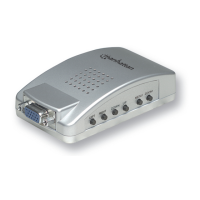
PC TV Converter, Model 150095.
Just connect a VGA port to almost any TV to view computer-based presentations, games, pictures
and movies, or a Web browser. Refer to this manual for easy setup, and enjoy these quality
features:
• Supports composite video, S-video and RGB (optional) outputs.
• Power from PS/2 or USB port.
• On-screen display (OSD) operation status, zoom, size.
• Independent horizontal size and vertical size adjustment, programmable 2D scaling.
• No software driver required; compatible with any operating system.
• Switchable NTSC, NTSC-EIAJ (for Japan), PAL, PAL-M, PAL-N, PAL-combination-N and
SECAM (via RGB OUT) video system.
• RGB (optional cable required) output supports the interlace format.
• Supports position control; zoom and menu buttons.
• Menu button supports horizontal size, vertical size, brightness, contrast, hue, saturation,
sharpness and OSD background color adjustment.
• Simultaneous display on VGA monitor and TV.
• Compact form factor: 95 mm (L) x 55 mm (W) x 30 mm (H)
• 24-bit, true-color digitizer.


 To Next Page