Video
Video Format: Make a selection from the drop-down menu (NTSC or PAL). Normally, the device
will automatically select the proper format.
Input Source: The default setting is “Composite.”
Picture Adjustment (color): Slide the controller left or right as desired; click “Default” to return
the settings to those shown above.
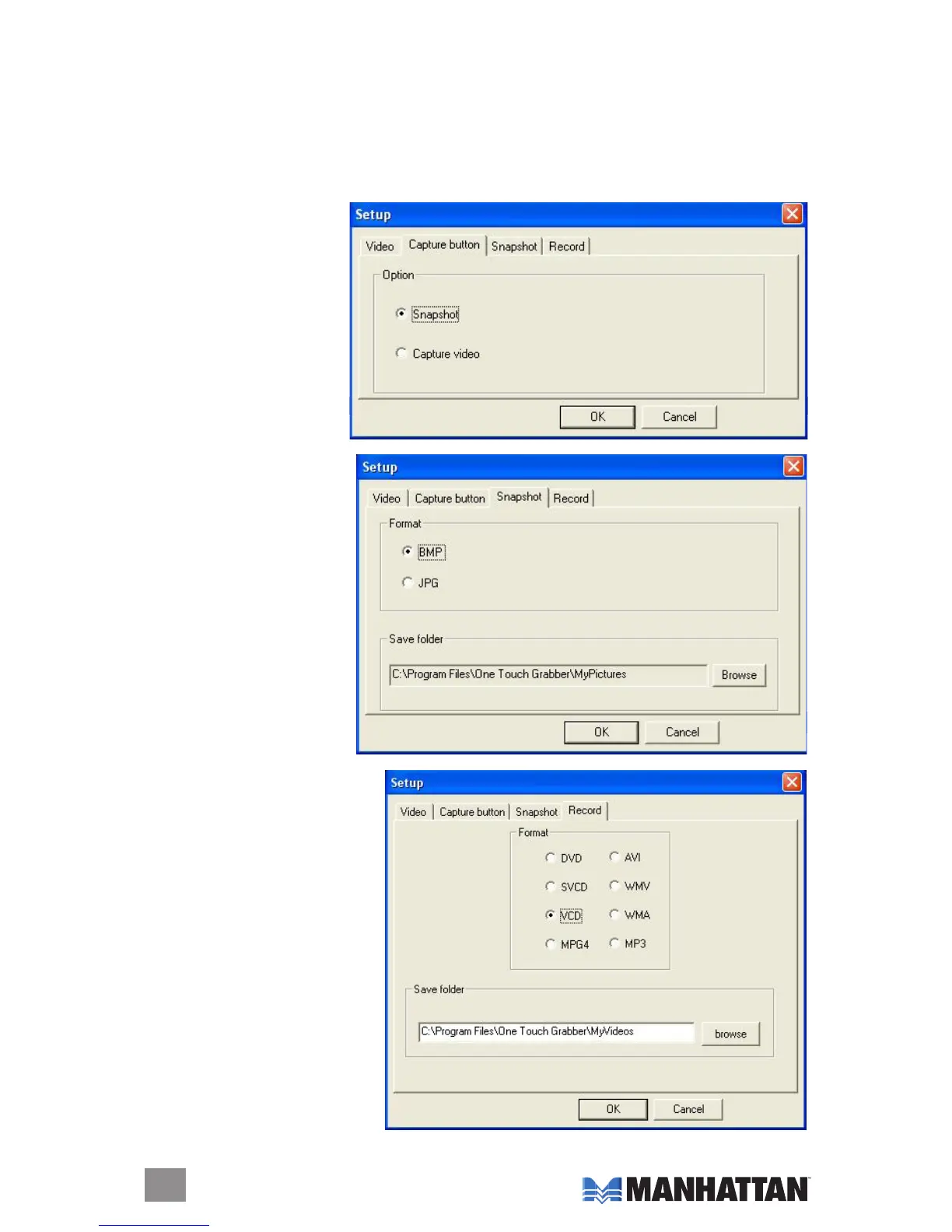
Capture Button (optional
setting)
Option: Select “Snapshot”
(to capture a picture) or
“Capture video” to capture
video les.
Snapshot (optional
setting)
Format: Select “BMP” or
“JPG.”
Save folder: Click “Browse”
to change the destination
location.
Record
Format: Select from among the
eight options listed. The default
setting is “VCD.”
Save folder: Click “Browse” to
change the destination location.
8


 To Next Page