4.Kitty’s Sensor And Touch Inputs
To understand how Kitty words you must know about her input devices.
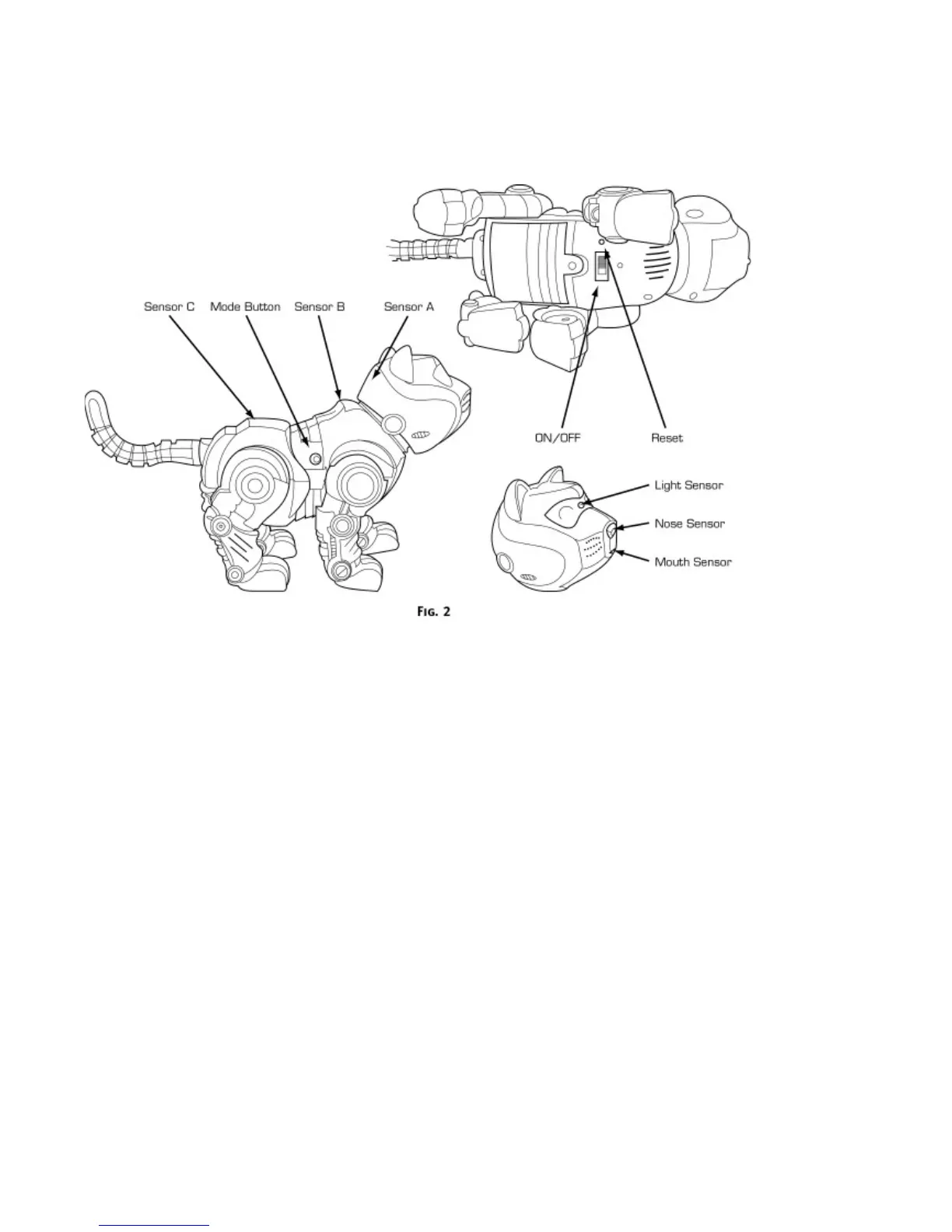
(Fig.2)
Located between her eyes under the protective lens, Kitty’s
LIGHT SENSOR
responds to changes in light
levels.
The
SOUND SENSOR
in Kitty’s head allow her to respond to voices and other noises.
When pressed, the
MOUTH SENSOR
lets Kitty knows she is being fed. You’ll know she is enjoying her meal
when you hear her crunching and slurping.
The
NOSE SENSOR
has two purposes. When pressed, Kitty will make "sniffing” noises. Also, if she walks into
an object, this sensor will shut down her motor function to keep her out of harm’s way. You’ll hear her say
"
OW!
"
Kitty’s
TOUCH SENSORS
let her know that she is being petted. These sensor are your way of letting Kitty
know how much affection you have for her. Please note the location of each sensor (A, B and C) which run
directly down the center of her back.
(Fig. 2)
When you stroke Kitty down her back, she will become very
happy. Move your hand from the back from
Sensor A
on the back of her down her back to
Sensor C
(Fig. 3)
Try to touch her lightly - like you might a real cat. You will see that Kitty will
PURR
and wiggle her tail. The
more you pet her, the more Kitty's purring you will hear from her.
The
MODE BUTTON
is used to program Kitty and teaching her tricks.
Kitty powers up or shuts down when you move the
ON/OFF SWITCH
.


 To Next Page