USER’S MANUAL
25
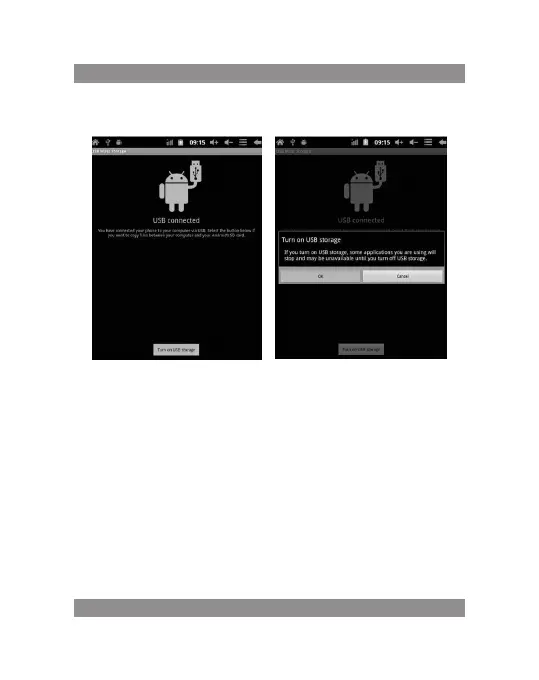
Step 3: According to the above photo, please choose USB connected. Then
you can see the following interface:
Step 4: Please press “turn on USB storage”. Then you will find the follo-
wing photos:
Please choose “OK”. Then USB is connected. “USB is connected”: means
external memory (SD) loading is completed, and you can see the correspon-
ding letter in the PC terminal.
Use USB cable to connect device to PC, device will pop up the USB con-
nection window, click Turn on USB storage to connect to PC


 To Next Page