USER’S MANUAL
29
Application
Manage applications
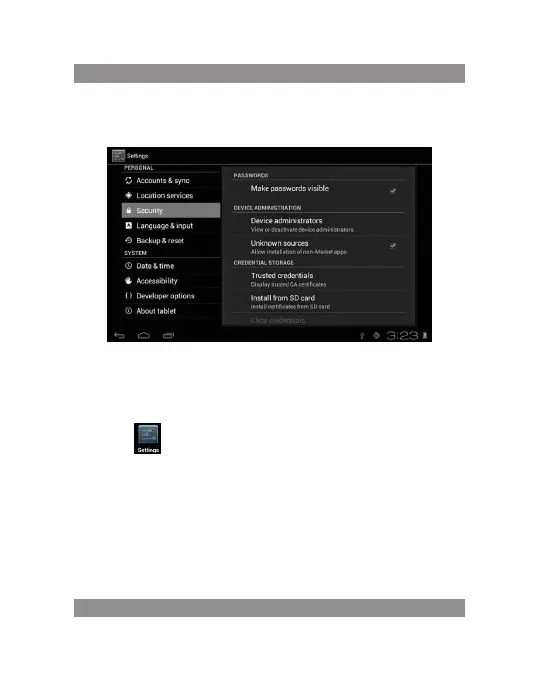
Unknown sources: Click “Unknown Sources”, then click “OK”
Manage application: manager and uninstall Application
Remark:
when you Firmware Upgrade, pls close the USB connect
How to uninstall?
1. enter “setting”>”Application”>”Manage application” And then
there will be installed the program list
2. Click you want to uninstall icons, will enter the following interface
3. Click Uninstall, then you can delete the application


 To Next Page