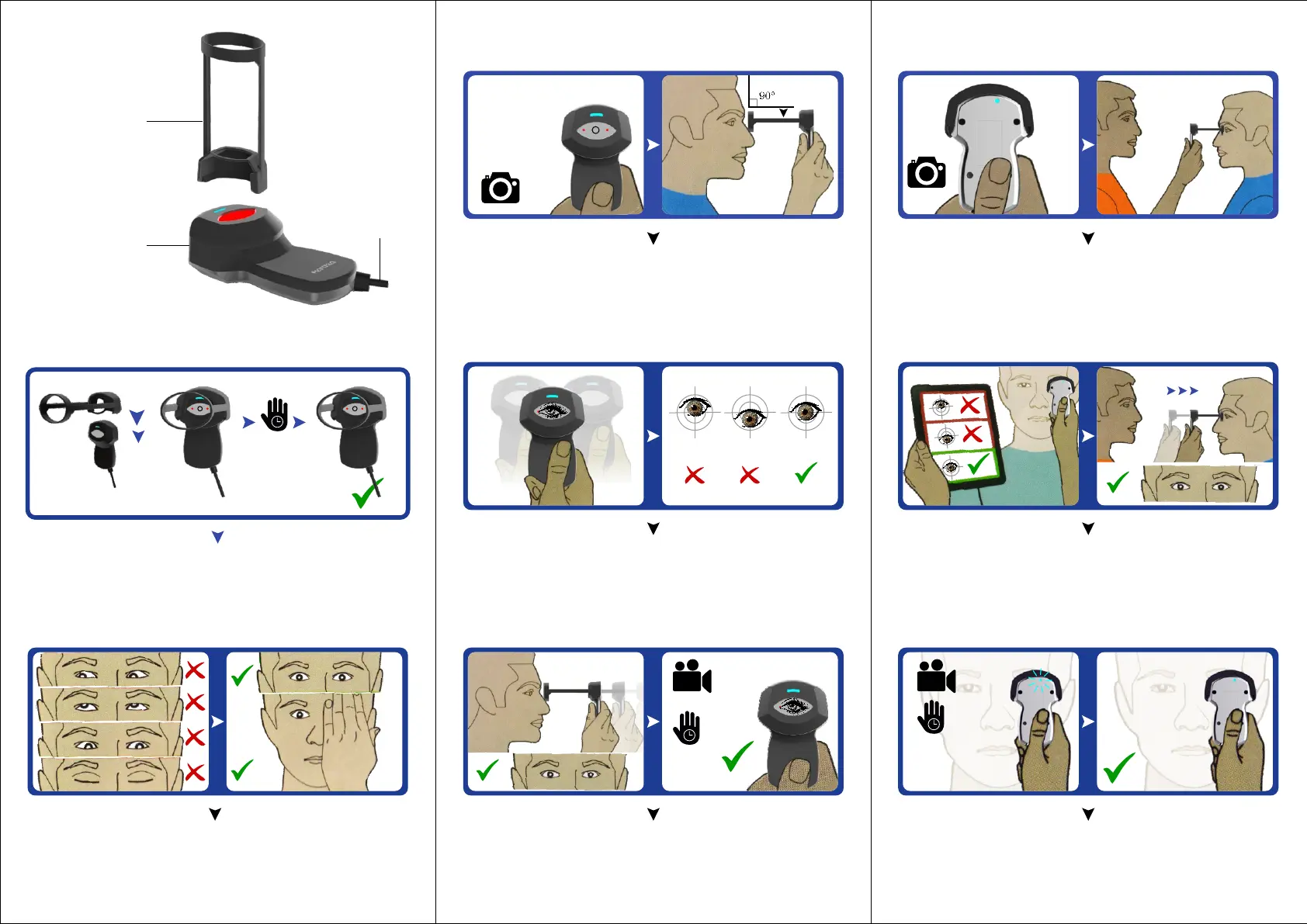
Distance Guide
Device
USB Cable
1 Assembly
10
sec
Attach Guide Distance, Connect Cable & Wait for 10 secs.
Look directly into the device
2 User
Ensure device is switched ON.
(Observe red indicator light in front)
The rear light indicates the Camera is ON.
Place the Guide Distance on the eye.
Place the device on your eye.
Look straight into inner circle of the device for
alignment.
Align inner circle of the device as per
eye of the subject.
Place the Guide Distance on your eye
Capturing occur when blue light blinks.
Wait for 2 secs for process to get over.
A blinking Blue light indicates the capturing is
under process. Wait until the light turn green.
3 Operator
2
sec
2
sec
Published by Mantra Softech., B203, Shapath Hexa, Highway, Sola, Ahmedabad - 380060, Gujarat, Phone: +1.703.877.2135, For more details visit www.mantratec.com


 To Previous Page