10
ENGLISH
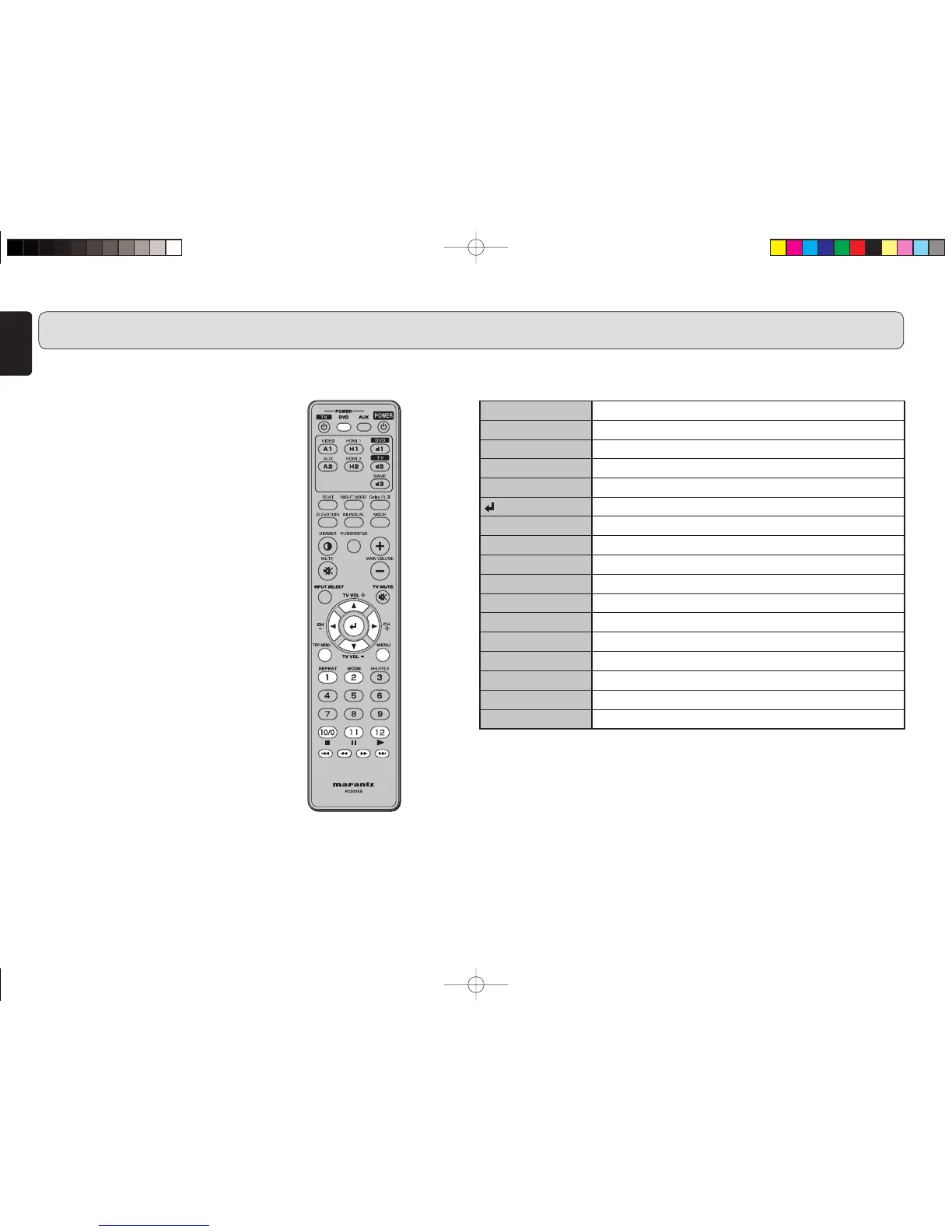
DVD POWER button
Turns on the DVD or sets it to standby mode.
5
button
Moves the cursor up.
∞
button
Moves the cursor down.
2
button
Moves the cursor left.
3
button
Moves the cursor right.
button
Executes the selected item.
TOP MENU button
Displays the top menu of a DVD disc.
MENU button
Displays the setting menu of a DVD player.
REPEAT button
Repeats playback of a chapter or disc.
MODE button
Selects the Super Audio CD sound mode.
7
button
Stops playback.
8
button
Pauses playback.
3
button
Starts playback.
4
button
Returns to the beginning of the current music or chapter.
1
button
Fast backward search
¡
button
Fast forward search
¢
button
Skips to the next music or chapter.
NAMES AND FUNCTIONS OF PARTS
7
Before using the remote
controller for Marantz products
1. Press the button specified for the
equipment you want to operate.
• DVD player: “d1” button on the remote
controller
• IS201: “A2” button on the remote
controller
2. Operate the unit using the buttons described
in the respective list.
Notes:
• For details on operation, please refer to
the instruction manual supplied with the
connected Marantz products.
• Some models may not operate with the
remote controller supplied with this unit.
7 Buttons used for a Marantz DVD player
ES7001U01Eng.indd10ES7001U01Eng.indd10 07.7.311:42:34PM07.7.311:42:34PM



 To Next Page