EasyManua.ls Logo

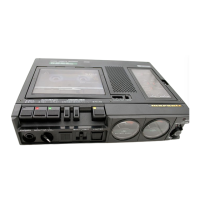
Marantz PMD420 - Panel Features and Controls; Speaker and Cassette Compartment; Tape Counter and Selector; Noise Reduction and Filter Switches

Marantz PMD420
24 pages
Print Icon
To Next Page IconTo Next Page
To Previous Page IconTo Previous Page
Loading...
www.SteamPoweredRadio.Com
English
FOREWARD
To
obtain
maximum
performance
and
enjoyment
from
your
Stereo Cassette
Recorder
, please
study
these
instructions
care-
fully.
Installing
and
operating
your
unit
is
not
complicated,
but
the
flexibility
provided
by
its
numerous
operating
features
merit
your
becoming
fam
i
liar
with
its
controls
and
connec
-
tions.
Our
recommended
procedure
will
assure
you
of
secur-
ing
the
superb
performance
for
which
your
Stereo
Cassette
Recorder
was designed.
For
convenience,
this
manual
is
divided
into
two
parts
.
The
first
part
outlines
a
simplified
operating
procedure
.
The
second
part
provides
a
more
detailed
description
of
the
features
of
your
Stereo Cassette
Recorder,
and
explains
some
of
the
finer
points
of
recording
techniques.
For
quick
identification
of
the
many
controls,
connection
facilities,
and
adjustments
on
you
_r
unit,
all references
to
them
in
this
manual
are
printed
in
BOLDFACE
type
.
AFTER
UNPACKING
It
is
advisable
to
retain
all
original
packing
material
to
pre-
vent
damage
should
you
wish
to
transport
your
Unit
(refer
to
page 9
for
Repacking
and
Shipping
instructions).
Be
care-
ful
that
you
do
not
inadvertently
throw
away
or
lose
the
parts
packed
with
the
unit.
Please
inspect
your
Stereo Cassette
Recorder
carefully.
Our
very
strict
quality
control
and
professional
pride
ensure
that
each
unit
leaves
the
factory
in
perfect
condition
.
If
the
unit
is
damaged
or
fails
to
operate,
immediately
notify
your
dealer.
If
the
unit
was
shipped
to
you
directly,
notify
the
transportation
company
without
delay.
Only
you
,
the
consignee,
may
institute
a
claim
against
the
carrier
for
shipping
damage. Save
the
carton
and
all
packing
material
as
evidence
of
damage
for
their
inspection.
Should
assistance be
required
,
the
Marantz
Company
will
cooperate
fully
in
assisting
your
claim
.
PURCHASER
'S
RECORD
·
MODEL
NO
.
___
__
________
_ _ _
(
Located
on
Front
of
Unit)
. ·
SERIAL
NO
.
_______________
_
(
Located
on
Rear
of
Unit)
. Cost
_________
Date
_______
_ _
This
information
becomes
your
permanent
record
of
a
valuable purchase.
It
should
be
filled
in
promptly
then
kept
in
a safe place
along
with
your
purchase
receipt
to
be
referred
to
as
necessary
for
insurance purposes
or
when
.
corresponding
with
Marantz
.
IMPORTANT
WHEN
SEEKING
WARRANTY
SERVICE,
IT
IS
THE
RESPONSIBILITY
OF
THE
CONSUMER
TO
ESTAB-
LISH
PROOF
AND
DATE
OF
PURCHASE
.
(YOUR
PURCHASE
RECEIPT
OR
INVOICE
IS
ADEQUATE
FOR
SUCH
PROOF
.)
4
QUICK
REFERENCE
INDEX
The drawings in Figure
1,
provide
a reference
number
for
each
of
the
panel features. These
numbers
reference a
descriptive
paragraph
about
the
feature
and
may
be
located
in
the
PANEL
FEATURES
section.
Before
operating
your
new
unit,
take
a
few
moments
to
acquaint
youself
with
some
of
the
features and
termi-
nology
you
will
encounter
in
this
book.
PANEL
FEATURES
CD
SPEAKER
®
CASSETTE
COMPARTMENT
®
TAPE
COUNTER
Used
for
easy reference and
indexing
.
To
return
the
numbers
to
"000"
depress
the
RESET
button
.
©
TAPE
SELECTOR
Selects
the
proper
bias and
equalization
to
suit
the
most
common
types
of
cassette tapes.
NORM
-
for
normal
ferric
oxide
tapes.
CrO,
-
for
chromium
dioxide
and
other
tapes
requiring
70
µS
equalization
and
high
bias.
MET
AL
-
for
metal
tapes
®
NOISE
REDUCTION
SWITCH
(PMD430
only)
This
switch
is
used
to
select
the
noise
reduction
system
(Dolby
NR,
dbx
,
or
NROFF).
(See
page 8.)
®
DOLBY
NR
/
MPX
FILTER
SWITCH
(PMD420
only)
Activates
the
built-in
Dolby
Noise
Reduction
circuitry
during
recording
and
playback
.
(See
page 9.)
(J)
STOP/EJECT
BUTTON
The
STOP/EJECT
Button
serves a
dual
purpose.
To
stop
the
tape in
any
mode
, depress
the
button
lightly.
To
open
the
cassette
compartment
lid,
release
the
button
and depress
again
firmly
.
®
PLAY
BUTTON
When depressed, the
PLAY
Button
engages
the
playback
cir
-
cuitry
for
flawless
reproduction
of
previously
recorded tapes.
®
FAST
FORWARD/CUE
BUTTON
(FF/CUE)
Depress
this
button
for
rapid
advancement
to
any
desired
point
on
the
tape.
If
depressed
during
playback,
the
tape
will
advance
until
the
button
is
released,
at
which
point
tape
play
resumes
automatically.
®
REWIND/REVIEW
BUTTON
(REW/REVIEW)
Depress
this
button
to
rapidly
rewind
a tape.
If
depressed
during
playback
,
the
tape w ill
rewind
until
the
button
is re-
leased,
at
which
point
tape
play
resumes
automatically.

Other manuals for Marantz PMD420

Related product manuals