EasyManua.ls Logo

Marconi Instruments 2955 - Page 43

Marconi Instruments 2955
84 pages
Print Icon
To Next Page IconTo Next Page
To Previous Page IconTo Previous Page
Loading...
OPEHATfON
Amplitude
modulation
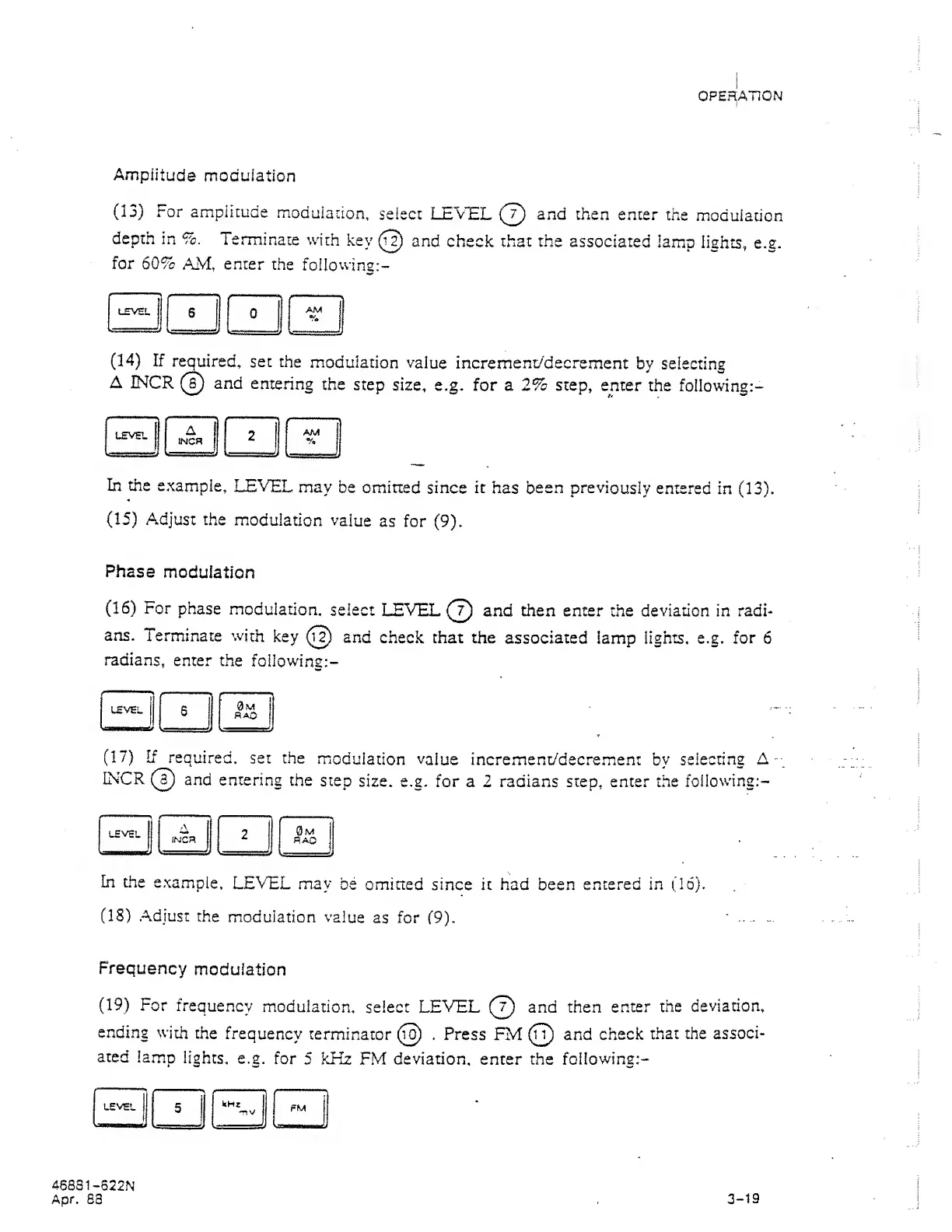
(13)
For ampiicude
moduiaiion,
select LE'VEL
(2)
enter
the
modulation
depth
in %.
Terminate
with
key
(J?)
and check that the
associated
lamp
lights,
e.g.
for
60%
AM,
enter
the
following:-
(14)
If
required,
set
the
modulation
value
increment/decrement
by selecting
A
INCR
(T)
and
entering
the step
size, e.g. for a 2% step,
enter the
following:-
In the
example,
LEVEL
may
be
omitted
since
it
has
been previously
entered
in
(13).
(15)
Adjust
the
modulation
value
as for
(9).
Phase
modulation
(16)
For
phase
modulation,
select
LEVEL
(T)
and
then enter
the deviation in radi-
ans.
Terminate with
key
and
check,
that
the associated lamp
lights,
e.g.
for
6
radians,
enter
the
following:-
(17)
If
required,
set the
modulation
value
increment/decrem.ent
by
selecting A
-
INCR
@
and entering
the step
size.
e.g. for a 2 radians step, enter the
following;-
In the
example,
LEVEL
may
be
omined since
it had been
entered in
(16).
(IS)
.Adjust
the
modulation
value
as
for
(9).
Frequency
modulation
(19)
For
frequency
modulation,
select
LEVEL
(j)
and then
enter the
deviation,
ending
with
the
frequency
terminator
(t^
.
Press FM
(i^
and
check
that the
associ-
ated lamp
lights,
e.g.
for
5
kHz
FM
deviation,
enter the
following:-
46881-622N
Apr.
88
3-19