EasyManua.ls Logo

Marconi Instruments 2955 - Page 55

Marconi Instruments 2955
84 pages
Print Icon
To Next Page IconTo Next Page
To Previous Page IconTo Previous Page
Loading...
OPERATION
(9)
On
the
transmitter,
activate
the
tones which
are to
be measured.
When
tria-
gered. the
instrument
displays
ACTIVE.
(10)
At the
end
of
each
measurement,
ACTIVE
is
removed
and the received
tone
number,
frequency
and
?c
error
are
displayed.
If it is
within
59c of d
standard
fre-
quency,
the
closest tone
number
is
displayed
along
with
the
associated
error.
If the
error
is worse
than
29c,
an asterisk
is
displayed next
to
the tone
number.
(11)
To
return
to
TRANSMIT'lER
TEST, press
the key
arrowed
by
RETURN.
(12)
To
select
a
user-defined
standard,
press
the kev arrowed
by
RETURN
and
then
reseiect
TONES.
User-defined
standard
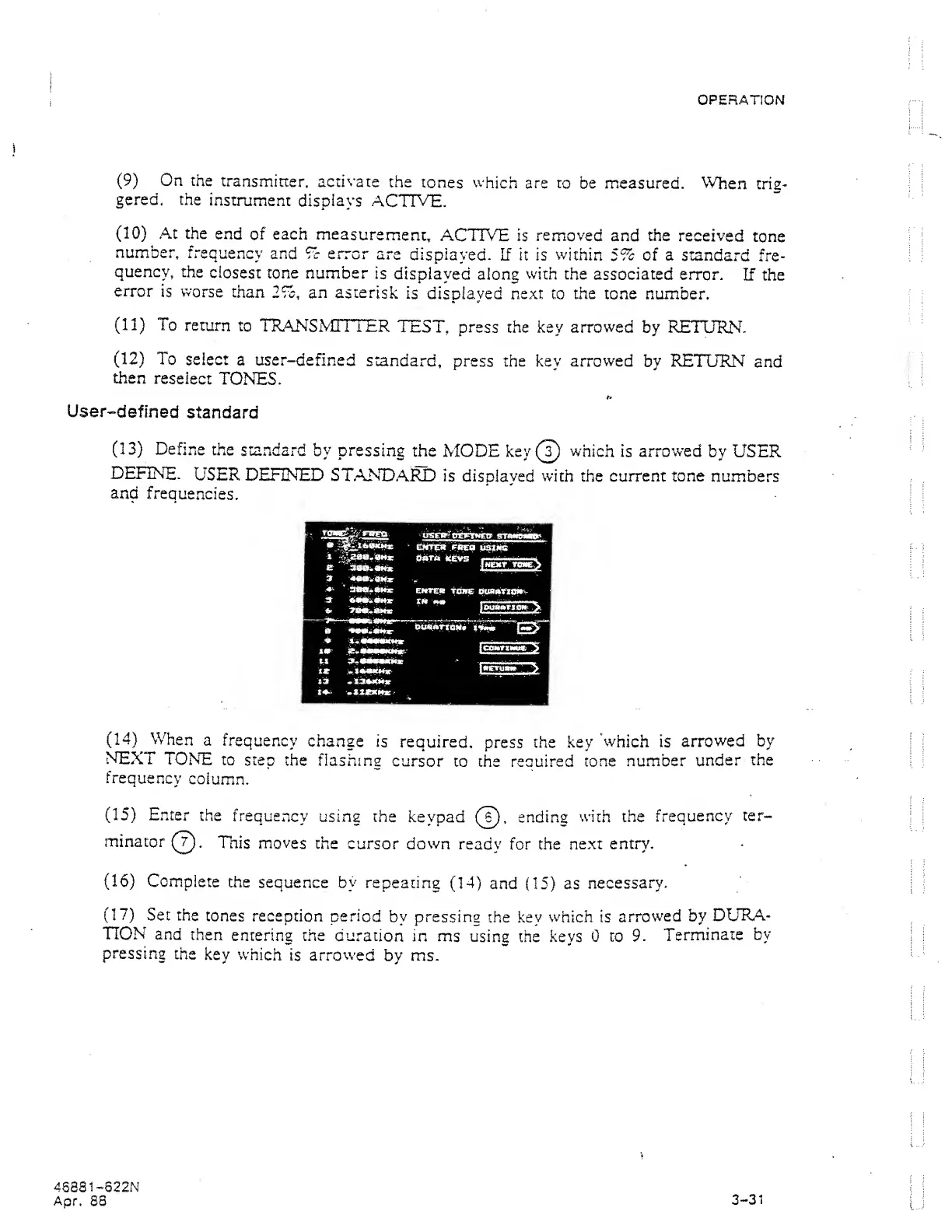
(13)
Define
the
standard
by
pressing
the MODE key
(?)
which
is
arrowed
by USER
DEFINE-
USER
DEFINED
ST.ANDARD
is displayed
with
the current tone
numbers
and
frequencies.
(14)
When
a
frequency
change
is
required,
press the key
'which
is
arrowed
by
NEXT
TONE
to
step
the flashing
cursor
to the reouired
tone
number
under
the
frequency
column.
(15)
Enter
the
frequency
using the
keypad
(?).
ending
with the
frequency
ter-
minator
(T).
This
moves
the
cursor down
ready
for the
next entry.
(16)
Complete
the
sequence by
repeating
(14)
and
(15)
as
necessary.
(17)
Set the
rones
reception period
by
pressing
the .key
which
is
arrowed
by
DURA-
TION
and
then
entering the
duration
in
ms
using the keys 0
to
9.
Terminate
by
pressing
the
key which
is
arrow'ed
by ms.
46881-622N
Apr.
83
3-31