EasyManua.ls Logo

Marconi Instruments 2955 - Page 61

Marconi Instruments 2955
84 pages
Print Icon
To Next Page IconTo Next Page
To Previous Page IconTo Previous Page
Loading...
OPERATION
HELP
KEY
OPERATION
HELP KEY
When
the
HELP
key is
pressed,
the
HELP menu
Is displayed
which enables
you
to obtain
an
operating
summary, provides
a choice
of alternative
parameters
and
implements the seif test routines.
To
return
to the operating
mode
press the key
arrowed
by
RETURN.
Operating
summaries
Pressing one
of
the
MODE keys arrowed
by the
following
provides an operating
summary
to
enable
you
to
implement
the
selected
test.
TRANSMITTER
TESTING
RECEIVER
TESTING
DUPLEX
TESTING
AUDIO TESTING}
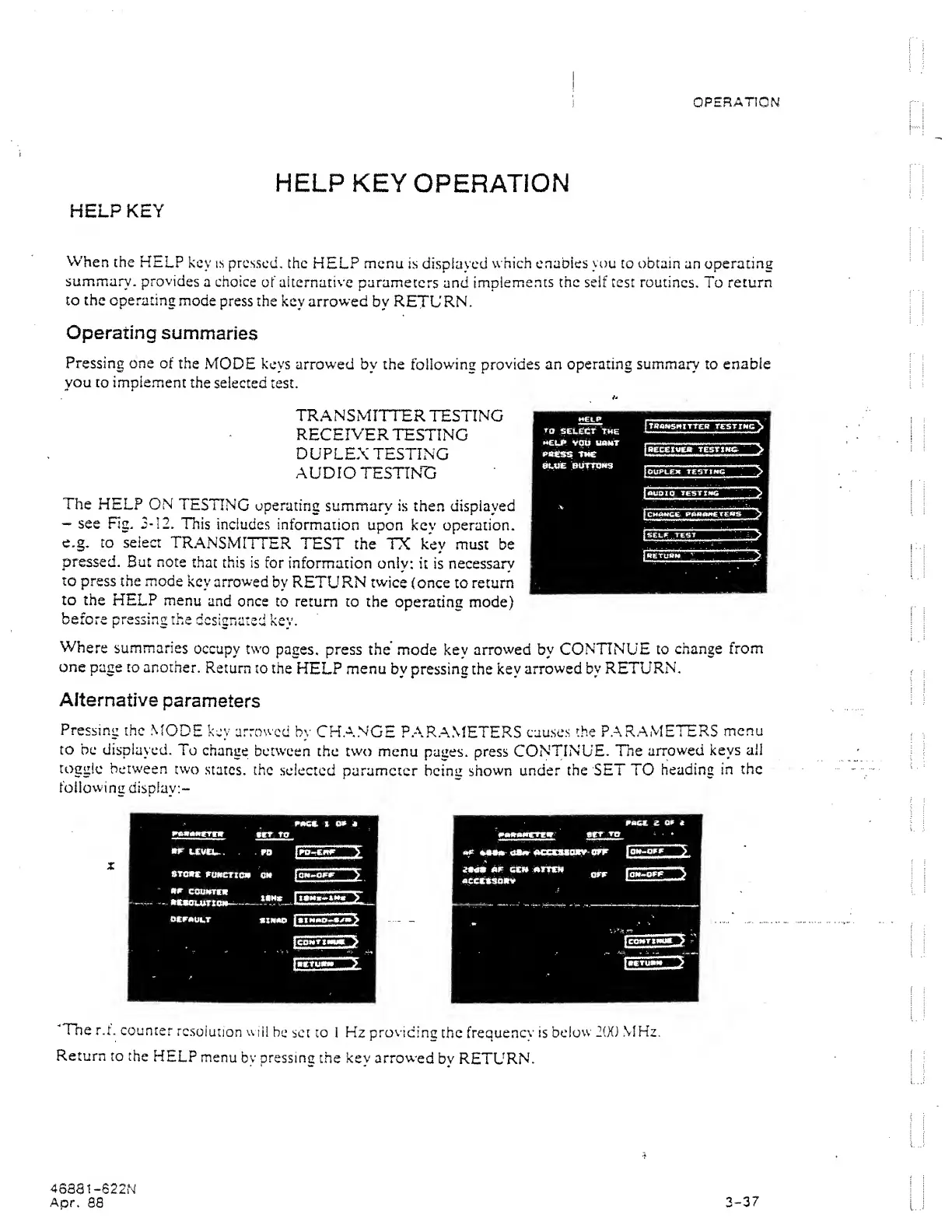
The
HELP ON
TESTING
operating
summary
is
then displayed
-
see Rg.
3-12,
TTiis
includes
information
upon kev operation,
e.g. CO select
TRANSMITTER
TEST the
TX key must
be
pressed. But note
that this is
for
information
only:
it
is
necessary
to
press the mode
key
arrowed
by RETURN
twice
(once to return
to the
HELP menu
and
once
to return
to the
operating mode)
before pressing the
designated
key.
Where
summaries
occupy two
pages, press
the'
mode
key
arrowed by
CONTINUE
to
change
from
one page
to another.
Return
to
the
HELP
menu
by pressing the key
arrowed by
RETURN,
Alternative
parameters
Pressing
the
MODE
key arrowed
by
CH.ANGE
P.AR.A.METERS
causes
the PARAMETERS
menu
to be
displayed.
To
change
between
the
two
menu
pages, press
CONTINUE.
The
arrowed keys
ail
toggle between
two
states, the
selected
parameter heimi shown
under
the SET TO
heading
in
the
following
display:-
"The
r.t. counter
resolution
will
be
set to I
Hz
providinc
the
freauenev is
below
2(X) MHz.
Return to
the
HELP
menu
by pressing
the
key
arrowed
bv
RETURN.
4S8S1-622N
Apr.
88
3-37