EasyManua.ls Logo

Marconi Instruments 2955 - Page 63

Marconi Instruments 2955
84 pages
Print Icon
To Next Page IconTo Next Page
To Previous Page IconTo Previous Page
Loading...
P
CS
5 (
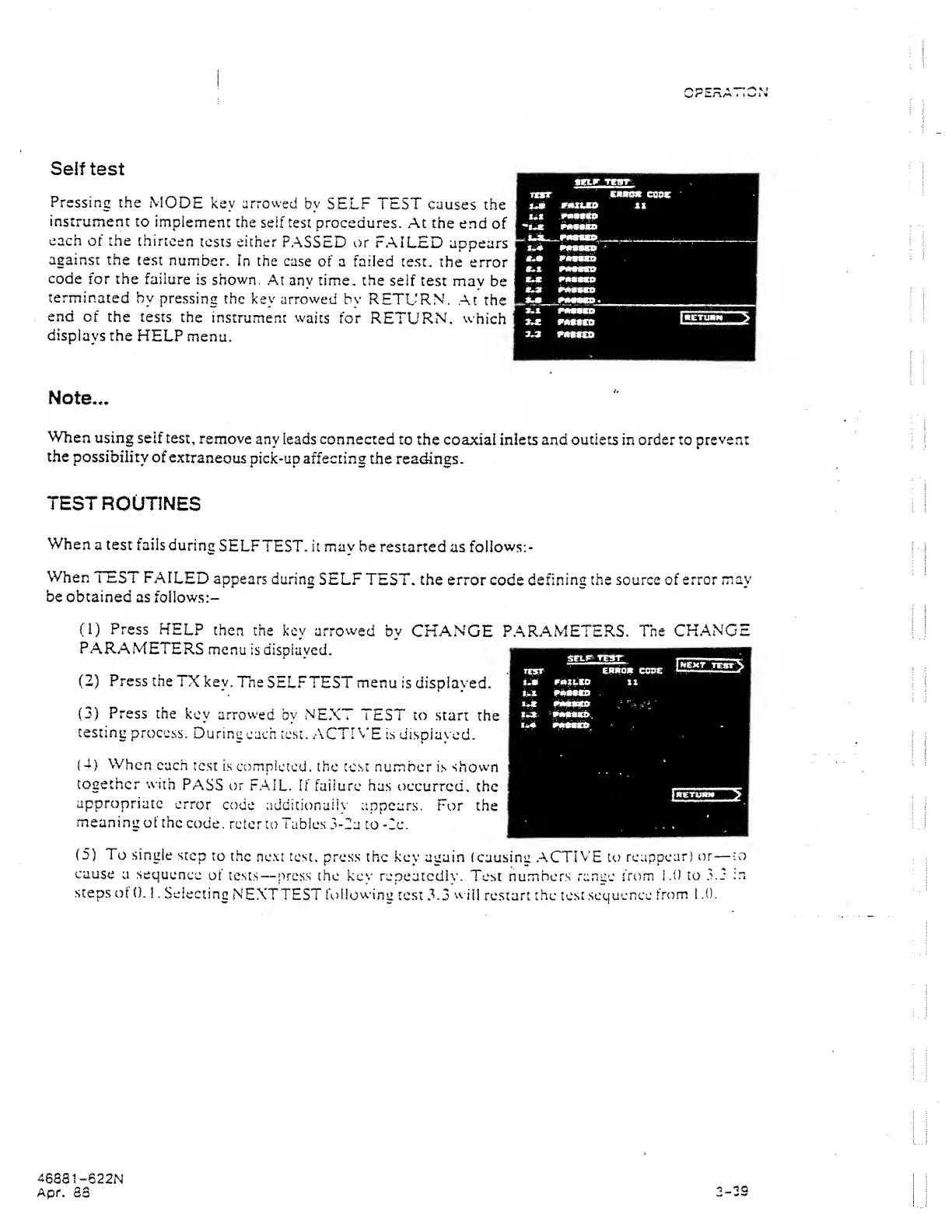
Self test
Pressing
the
MODE key arrowed
by
SELF
TEST
causes
the
instrument
to
implement
the
seif test procedures.
At the end
of
each of the
thirteen
tests
either
PASSED or
FAILED
appears
against the
test
number.
In the
case
of a failed
test,
the error
code
for
the
failure
is shown.
At
any time, the
seif
test mav
be
terminated
by
pressing
the
key arrowed bv
RETL'RN.
.At the
end
of the tests
the
instrument
waits
for
RETURN, which
displays
the
HELP
menu.
Note...
When
using
self test,
remove
any leads connected
to
the coaaciai inlets and
outlets
in order to
prevent
the
possibility of
extraneous
pick-up affecting
the readings.
TEST
ROUTINES
When
a test
fails
during
SELFTEST,
it
may
be restarted
as
follows:-
When
TEST
FAILED
appears
during
SELF
TEST,
the
error
code defining the source
of error
may
be obtained
as
foilows:-
(1)
Press
KELP
then
the key arrowed
by
CHANGE
PARAMETERS.
The
CHANGE
PARAMETERS
menu
is
displayed.
(2)
Press the
TX
key,
Tne
SELFTEST menu
is displayed.
(3)
Press the
key
arrowed
by NEXT
TEST to
start
the
testing
process.
During
each
test. ACTIh'E
is displayed.
|4)
When
each
test is
compicted.
the test
number
is
shown
together with
PASS
or FAIL.
If
failure
has
occurred,
the
appropriate
error
code addicionaiic'
appears.
For the
meaning
of the
code,
refer
to
Tables
3-2a to -2c.
(5)
To
single
step
to the
ne.M
test,
press the
key
again (cau.sing .ACTIVE to
reappear)
or
—to
cause
a sequence
of
tests
—
press the
key repeatedly.
Test numbers range
from
i.O to
.L2
;n
steps
of
0.
!
, Selecting
NEXTTEST
follow-ing
test
3.3
w
ill
restart the
test
sequence
from
t
.0.
46881-622N
Apr.
S3
2-33