EasyManua.ls Logo

Marconi Instruments 2955 - Page 71

Marconi Instruments 2955
84 pages
Print Icon
To Next Page IconTo Next Page
To Previous Page IconTo Previous Page
Loading...
OPERATION
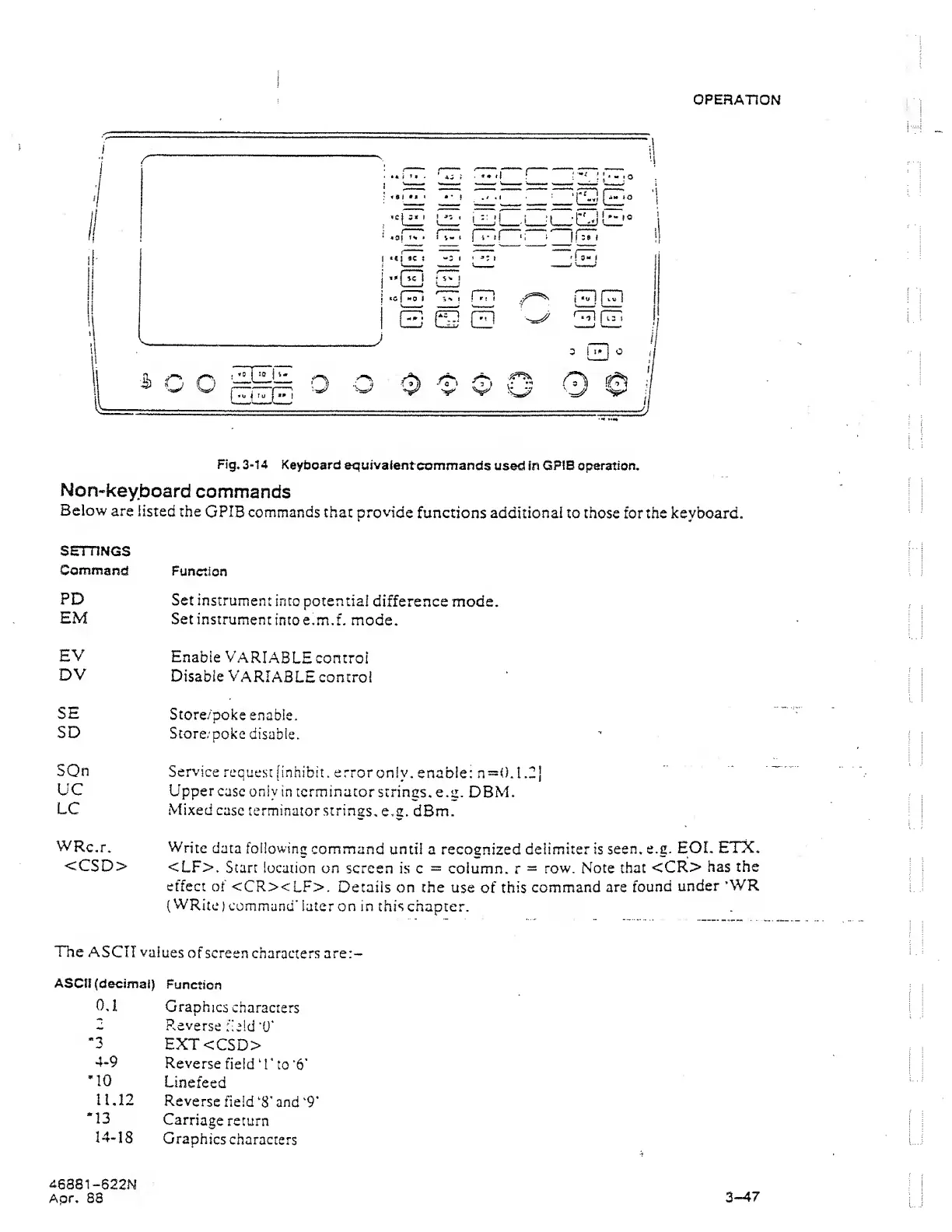
Fig.
3-14
KeytJoard equivalent
commands
used in
GPI8
operation.
Non-keyboard
commands
Below
are listed
the
GPIB
commands that provide
functions additional to
those
for the keyboard.
SETTINGS
Command
Function
PE)
Set
instrument
into
potential
difference mode.
EM
Set
instrument
into e.m.f. mode.
EV
Enable
VARIABLE
control
DV
Disable
Variable
control
SE
Store/poke
enable.
SD
Store/poke
disable.
SOn
Service
request
[inhibit . error
only, enable: n—0.1
.2j
UC
Upper
case only
in terminator
strings, e.g.
DBM.
LC
Mixed
case
terminator strings,
e.g. dBm.
WRc.r.
Write
data
following
command
until a
recognized
delimiter is
seen.
e.g.
EOL
ETX.
<CSD>
<LF>.
Start location
on
screen is c
=
column,
r
—
row. Note
that
<CR>
has the
effect of
<CRxLF>.
Details on the use
of
this
command
are
found
under
’WR
{
WRite
)
command*
later
on
in
this
chapter.
The
ASCII values
of
screen characters are:-
ASCII
(decimal)
Function
0.
1 Graphics
characters
2
R.everse
field
“U*
-3
EXT<CSD>
4-9
Reverse
field 0'
to
’6*
"10
Linefeed
11.12
Reverse
field
‘S'
and
‘9*
“13
Carriage
return
14-18
Graphics
characters
46881
-622N
Apr, S8
3-47