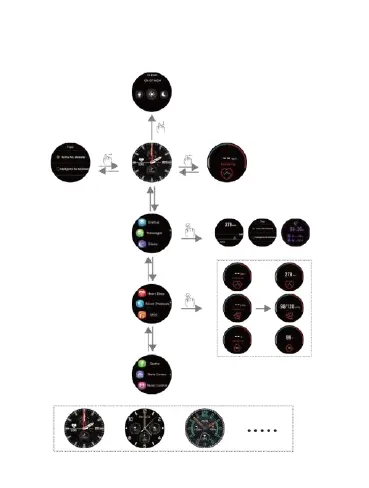
【Touch screen use】
Swipe down to enter the shortcut interface:
flashlight, brightness adjustment, and do
not disturb mode
Swipe right to enter the
message interface
Swipe up to enter the menu.
Swipe up and down to view all
the functions. Click on a
function to enter its interface,
and swipe right to exit
Swipe left to enter the heart rate
interface
Right upper
button
Short press to
return
to the
main dial
Long press to
shut down or
reset
Lower right
button
Return to
previous
level
Long press the main
interface
to change the dial
9



 To Next Page