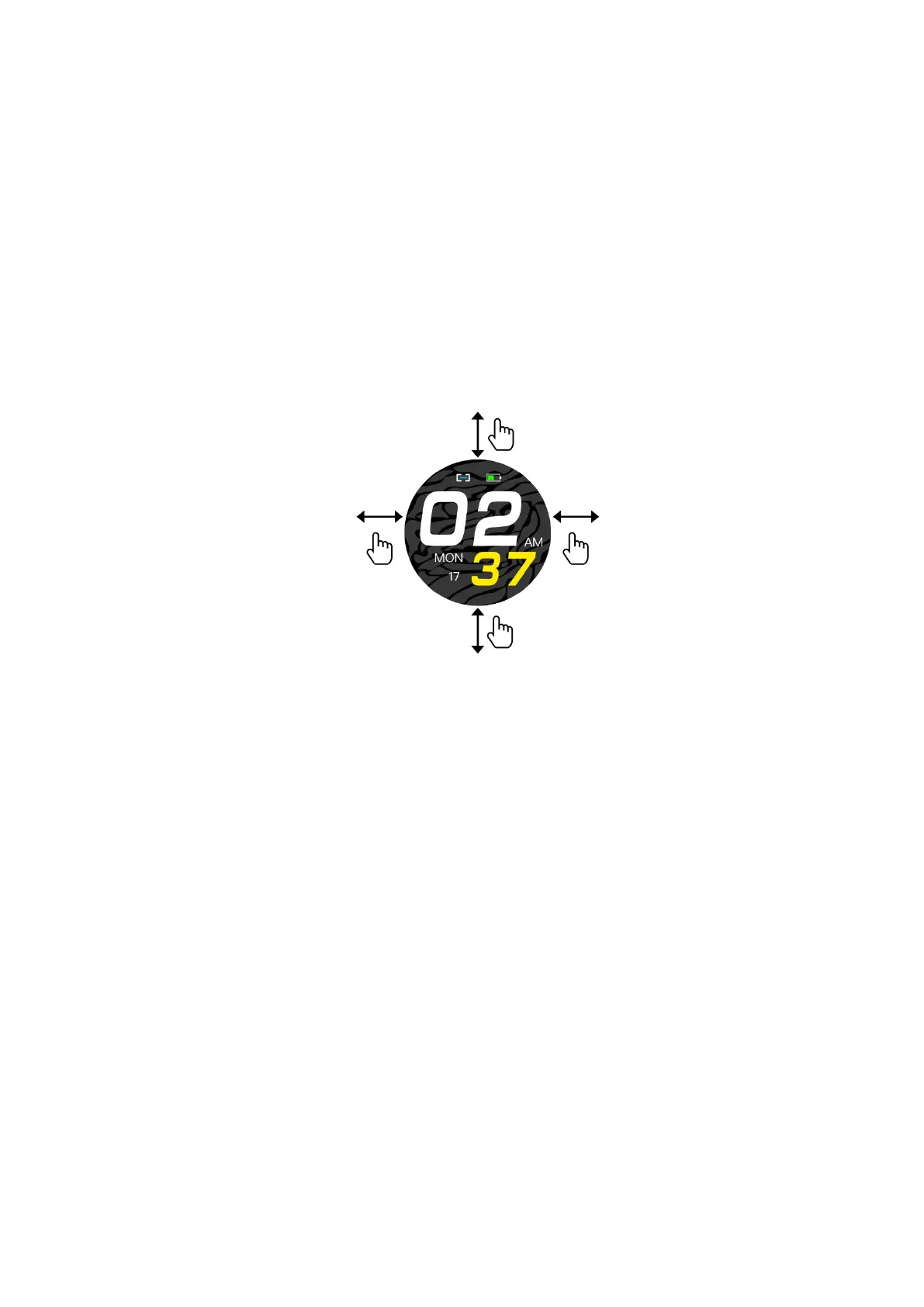
3.1.3 Watch interface shift process:
1. Slide from top to bottom on the main screen dial to see the status bar, which
includes DND mode, brightness level, settings, connection icon, and battery.
2. Slide from right to left on the main screen to enter the menu.
3. Slide from left to right on the main screen to see the messages received.
4. Slide from bottom to top on the main screen to see the health and sleep data.
3.2 Main screen selection
Long press the screen for 3 seconds to display all the options to choose from, slide left and
right to choose the preferred main screen. Single touch to set it as default main screen.
3.3 Notifications (messages)
After you have successfully paired your phone and activated the notifications in the app, the
messages received on the phone will be synchronized with the watch. The watch saves the
last 8 messages and they can be deleted by sliding up and clicking on the trash can icon.
Note: the received messages can be read on the smart watch, but they cannot be answered
from the watch and audios cannot be played.
3.4 Pedometer
The watch automatically records steps, distance and calories whenever the watch is on. To
see the data from the pedometer: swipe up from the watch's main screen or swipe left from
the main screen to access the menu.


 To Next Page