EasyManua.ls Logo

Mark BEAM 350 - ADVANCED USE

Mark BEAM 350
34 pages
Print Icon
To Next Page IconTo Next Page
To Previous Page IconTo Previous Page
Loading...
7
ADVANCED USE
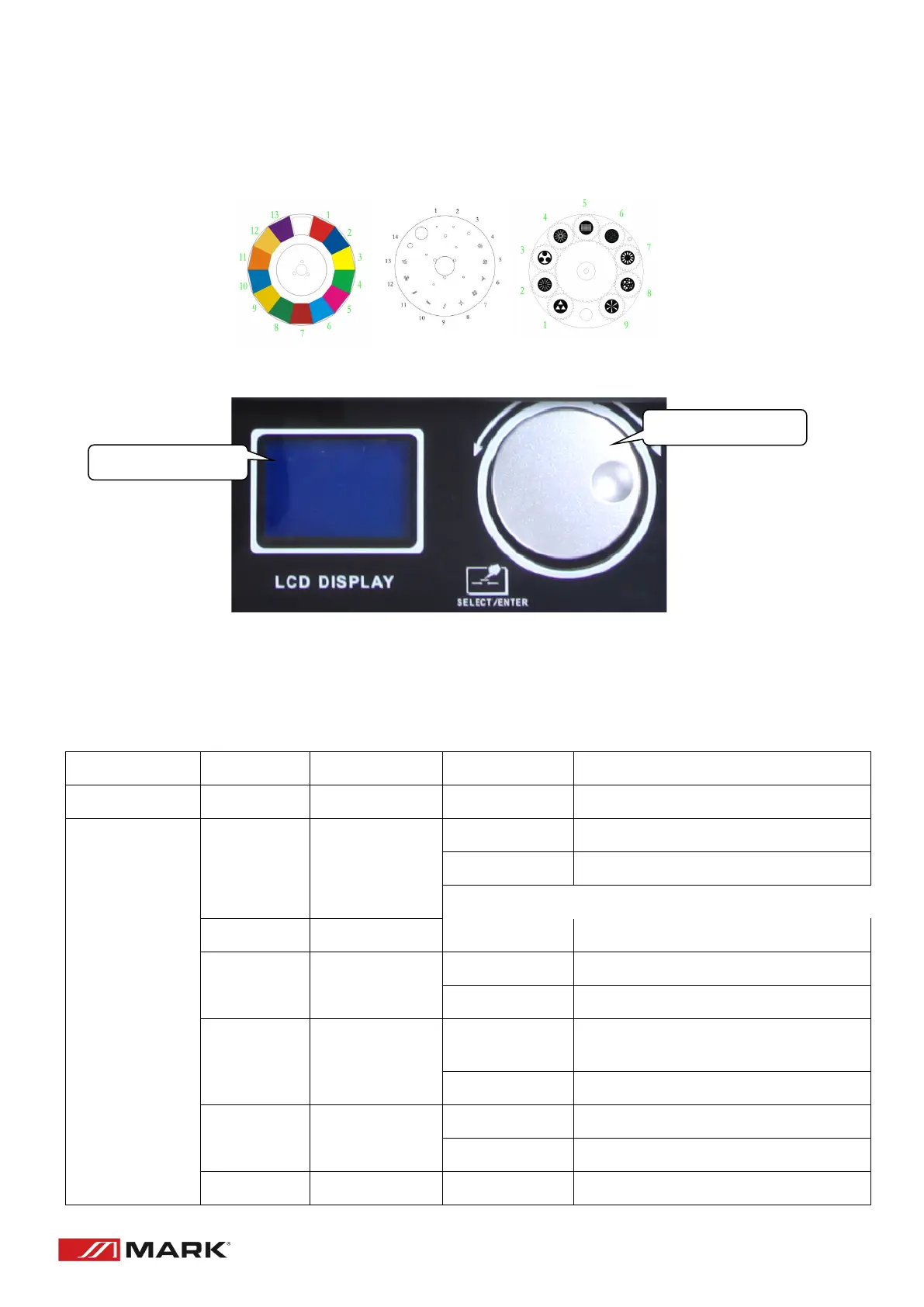
Beam 350 has the possibility to create different patterns using a wide colour range, as choose statics
and rotary gobos.
Control Panel:
Display: It displays all information of fixture.
Control wheel: Can turn right, left and enter to select and choose an option.
Menu:
Main Menu
Submenu 1
Submenu 2
Function SET
Function description
DMX Address
001-512
DMX Address number set
Display
"DispFlip"
"Off"
Normal
"On”
Reverse 180°
"Disp Dim"
000-100%
Brightness set
"Backligh"
"1, 2 or 3 "
Backlight close after 1, 2 or 3 min
"on"
Backlight light always
MenuBack"
"1, 2 or 3 "
Menu back to main menu after "1, 2 or 3
min
"Off "
Menu back not automatic
Dmxflah
on
Backlight blinking when no dmx
off
Backlight not blinking when no dmx
"Return "
Return
CONTROL WHEEL

Related product manuals