8 MARMITEK
-/--: In connection with the numerical keys this key allows you to directly select channels
higher than 9 (depending on the appliance).
A/V: Selection of the SCART plug to view or record e.g. DVD, SAT, VCR, …
SEARCH: To scan up available program channels or tracks (see chapter 15.4)
P<P: Allows you to program 2 specific channels and switch between them with a single
key press (see chapter 11)
SCREEN: To toggle between the first and second mode screens
UP, DOWN, LEFT, RIGHT: Navigation keys used in Menu.
MENU: To display the menu.
OK: Confirms menu selections.
EXIT: To turn Menu OFF
: Info key: to display the program channel and title information, etc.
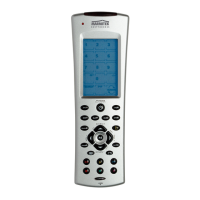
Other Useful Touchscreen Keys:
: Teletext Mix: (TV, CBL & SAT) Allows to mix Teletext and the picture of the selected
channel
: Teletext Hold: (TV, CBL & SAT) Stops page change in teletext mode.
SV/V+: (VCR) corresponds to "Showview" or "Videoplus" functions (see chapter 15.5).
: (VCR) for tape speed i.e. short play or long play.
-/--: (DVD) is for track digit entries greater than 0-9 (e.g. +10).
REPEAT: (DVD) to repeat the disc playback either completely or from two User-set points
(Repeat A-B).
T-C: (DVD) Disc Track or Chapter playback
FAV: (SAT & CBL) is for the device’s "Favourite" channel function
GUIDE: (SAT & CBL) to call up the device’s on-screen program guide
A-B: (AUDIO) Speaker A or B
DSP: (AUDIO) Digital Signal Processing selection
EFFECT: (AUDIO) DSP Effects toggle
MODE: (AUDIO) AM or FM Tuner selection
SLEEP: (TV Only) To turn off your TV after a period of 1 to 99 minutes.
Proceed as follows:
20055_20061108_UG_EasyTouch_35_touchscreen_remote 09-11-2006 10:22 Pagina 8


 To Next Page