No device yet, let's try a virtual device first
<
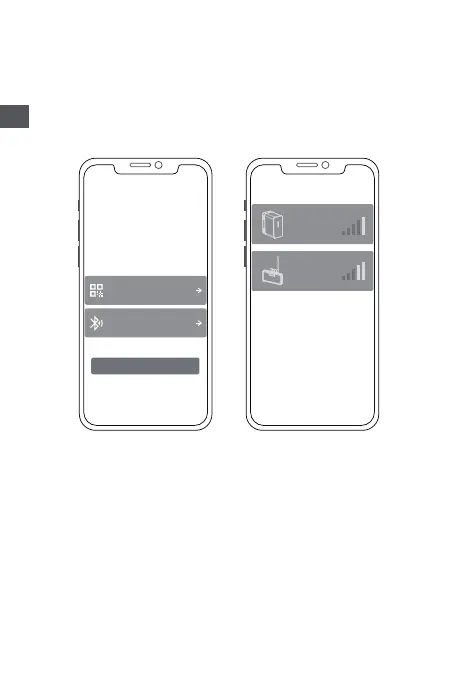
Add via QR code
Add via Bluetooth
Add Device
Please choose the following method to
add a device
Only M5000 can choose to add a QR code or
Bluetooth.For other devices,please choose
Bluetooth to add a device
<
Add via Bluetooth
device
name
device
name
Equipment home page
. The WIFI indicator lights up, indicating that the device is
successfully connected to WIFI
. The WIFI sign is not on, and the device is not connected to WIFI
. No. 1 Current transformer:The sampled power of the current
channel is displayed
. No. 2 Current transformer:The sampled power of the current
channel is displayed
. Clicking on different devices in the device management page
will switch the connection to different devices, left swipe on
IOS system triggers modifying and deleting devices, long press
on the device list on Android system triggers modifying and
deleting devices.
EN


 To Next Page