HANDLING
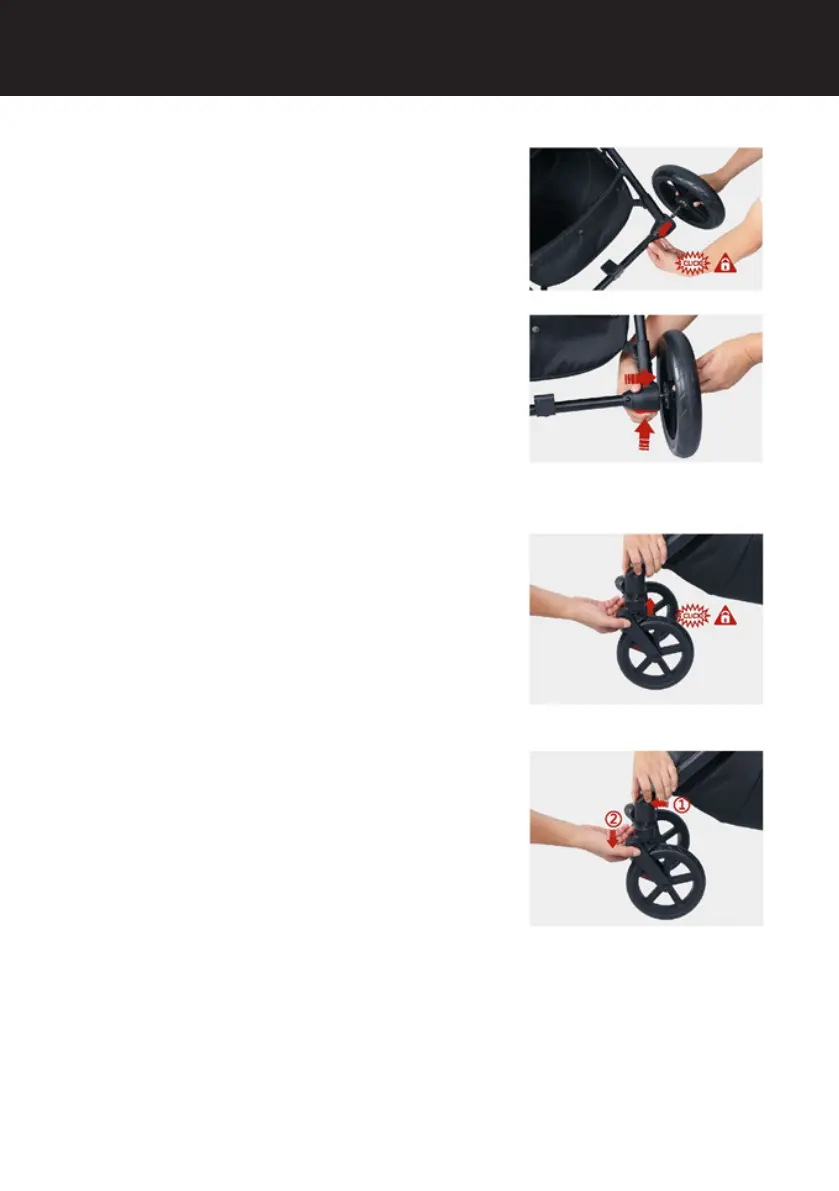
Rear wheel installation/removal
1. Installation: insert the rear wheel into the
rear wheel bracket.
Push until you hear a "click": this indicates
that the wheel is correctly installed.
2. Removal: press the red button and then
pull the wheel out to remove.
Front wheel installation/removal
1. Next, insert each front wheel pin into the
center of the socket ensuring you hear them
"click" in. Give each wheel a rm tug to
ensure they are secure. Your frame should
now be set up.
2. To remove the front wheels, press the
button on the side of the wheel socket and
pull the wheel down.
34


 To Next Page