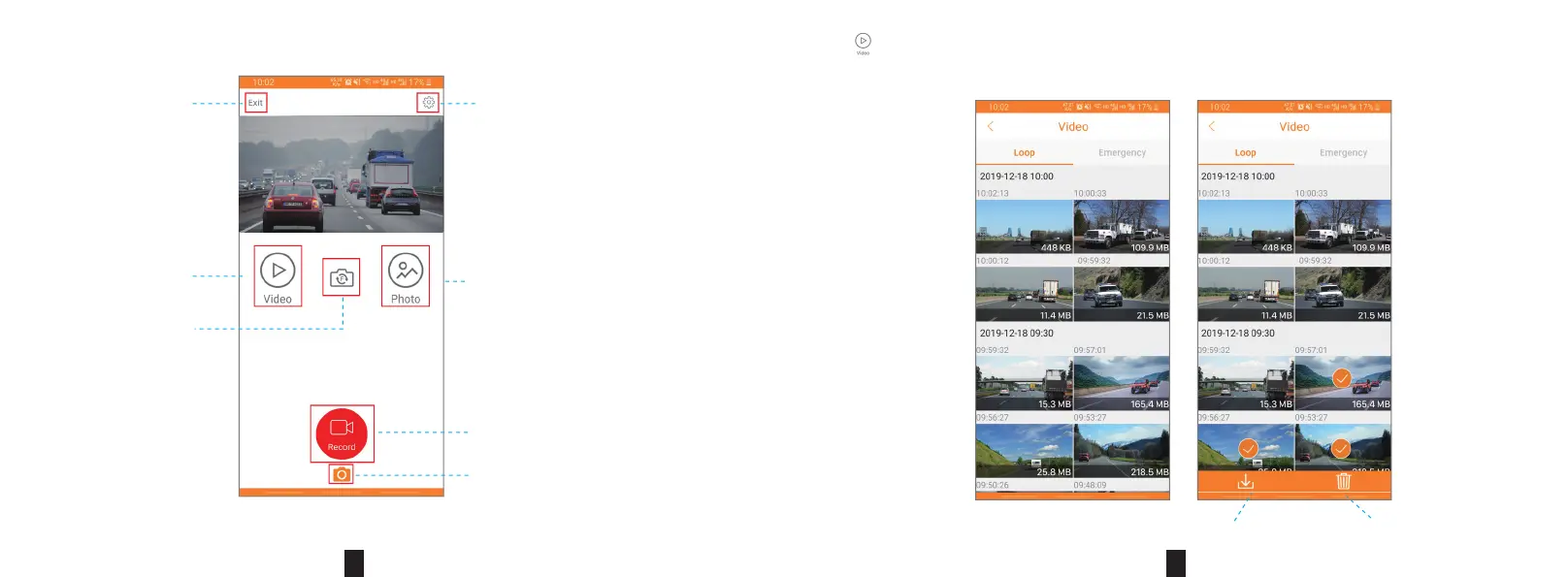
Click “ ” to enter the list of recorded videos, Press and hold the le thumbnail to select the le, download the video to the local,
delete videos in batches, etc. See the gure below.
6. Once connected, user can check the recording video and operate accordingly.
Figure 5
Setting
Record
Photo
Image les
Disconnect
Recorded les
Switch
DeleteDownload to local album
15
16


 To Previous Page