44
EN
3. Assembly
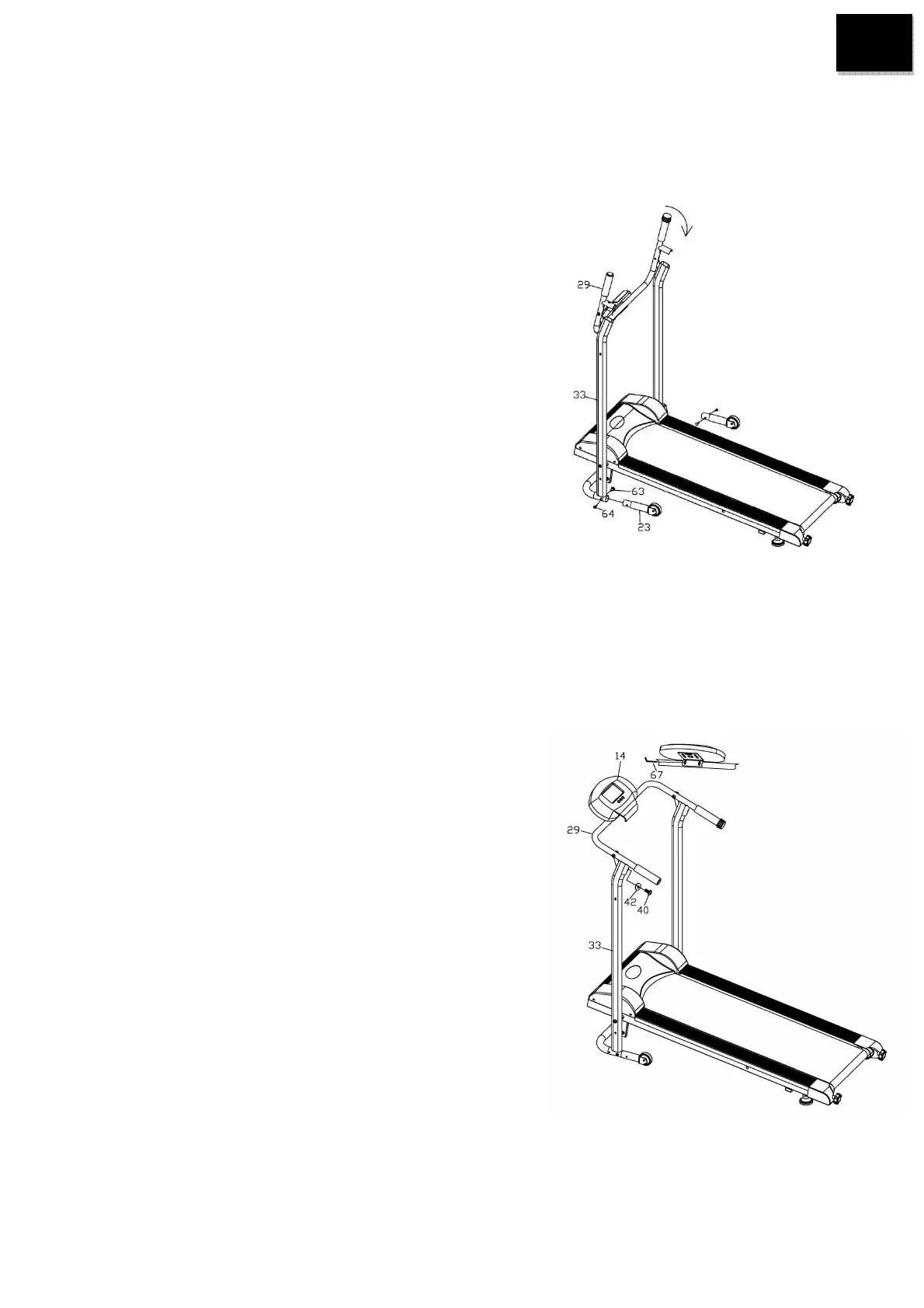
Step 1:
1) Attach the Support Post (33) to the Front Stabilizer (23),
tighten with 2xAllen bolt with (64) and 2xCarriage bolt (63).
2) Unfold the Handle bar (29) on the Support Post (33).
Step 2:
1) Put the Computer(14) into the desired position, then
use the Allen key(67)to adjust fasten the computer
with Handle bar(29).
2) Lock the handle bar to the Support post with 1XCurve
Washer (42) and 1xAllen Screw (40).


 To Next Page