5
PAIRING
EN
The first time you take both earphones out of their case they will enter
pairing mode.
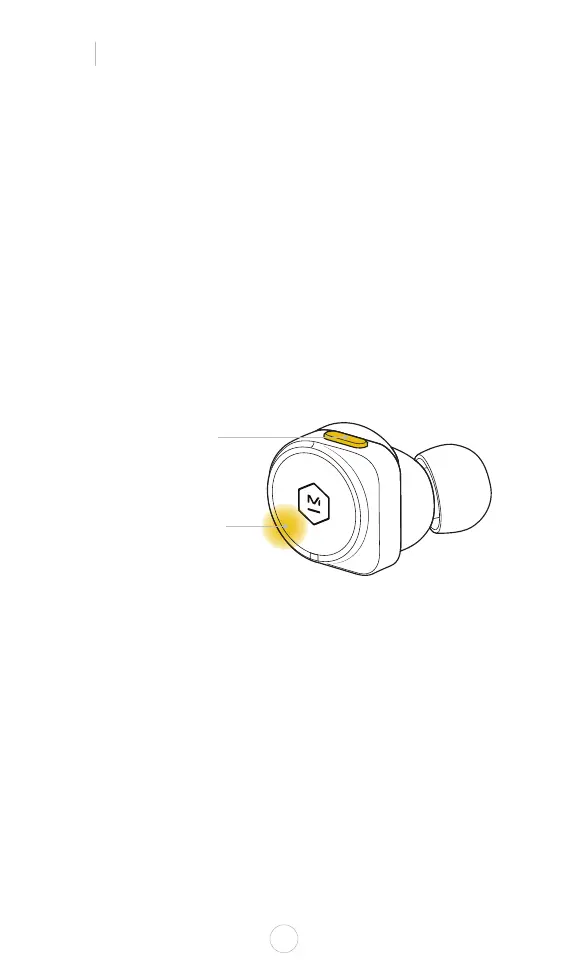
To manually activate pairing mode, hold down the multi-function button
until the indicator light starts pulsing/pairing tone is heard.
STEP 1: Open the Bluetooth menu on your device
STEP 2: Select M&D MW09
STEP 3: Download and open the M&D Connect app
NOTE: If you are already connected to a device, remove the earphones
from your ears to avoid activating your voice assistant.
Three microphones in each earphone provide the freedom to listen or talk
with just one earphone.
MULTI-FUNCTION BUTTON
PULSING INDICATOR LIGHT
RIGHT



 To Next Page