Controls & Indications
11
For those machines with the circular BDI, the following indications
are to be observed when switching on and during use of the
machine:
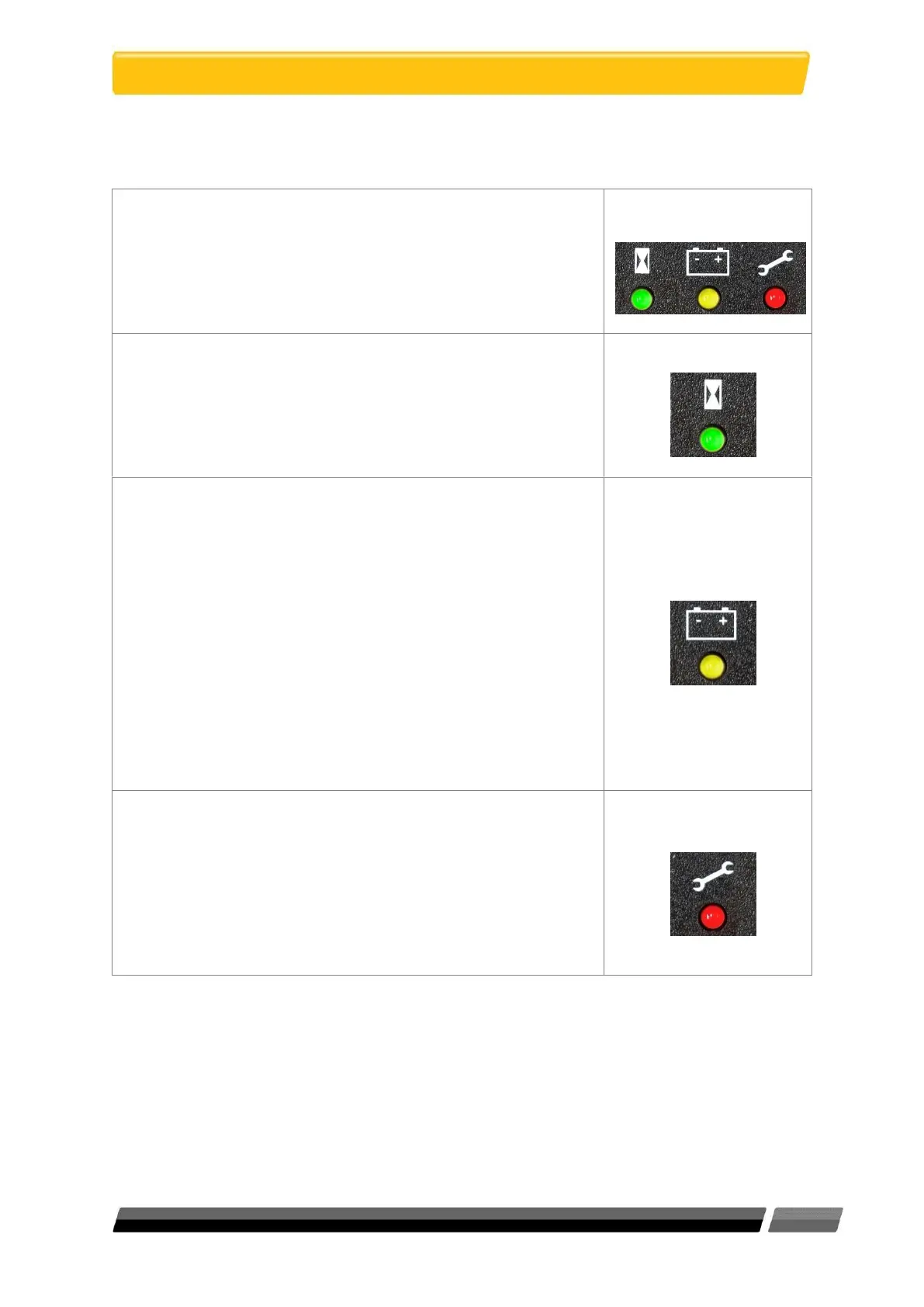
1. When you first switch the machine ON, all 3 LEDs
illuminate briefly (green, yellow and red) to indicate that
they are all working, then they switch off.
2. Next, the green light shows. The meter displays “Traction
Hours” for a moment, then a number. This number
displayed is the total number of hours that the machine
has been moving.
3. Next, the yellow light shows and after a few moments
switches off. The display shows the battery charge level
and will continue to show this during use.
The yellow light will also show the following Low Battery
Indications:
Yellow light ON - battery 35%.
Yellow light FLASHING - battery 25%.
Yellow light FLASHING and text reading “Low BDI” - battery
20%. Recharge the battery pack immediately, or the
battery may fail.
4. If the red light is FLASHING then there is a fault and the
display will show a fault code number. If this happens,
report the fault and code to your supervisor.
Additional information:
Check that the battery pack is well charged before use.



 To Next Page