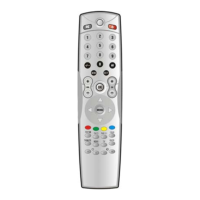
3. POWER
Switch devices ON or OFF.
4. Number keys
These operate as they did on your original remote
control.
5. -/--
Use to enter 1 or 2 digit numbers.
6. AV
Select TV or AV (VCR). (Note. 1)
7. Guide (Note 1)
Shows the guide screen.
8. EXIT (Note 1)
Exit the current mode.
9. VOL+/-
Control the volume of the device.
10. OK
Press this button to confirm the selection from the
operation of other buttons.
11. CH+/-
Select next or previous channel.
12. MENU (Note 1)
Access the menu of your chosen component.


 To Next Page