Page 7 of 24
2.2 AIS Lists
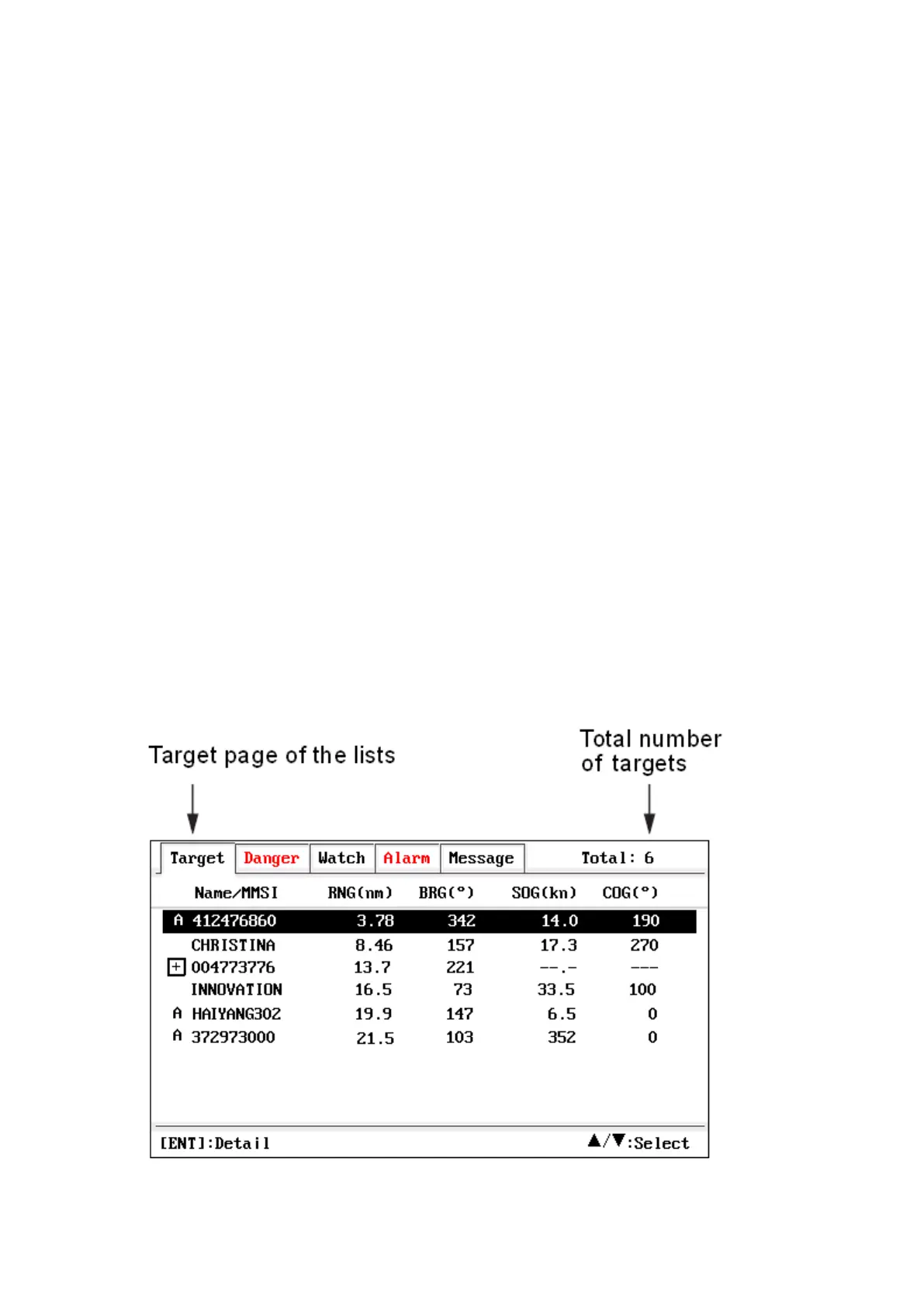
AIS lists are multi-list screens. It has 5 sub-screens: target list, danger
list, watch list, alarm list and message list.
Use ◀ or ▶ key to switch between the sub-screens.
2.2.1 Target List
The target list shows all AIS targets being recognized by the unit.
The target is sorted by the distance from own boat, so the closest target
is located on the top of the list.
The symbol in front of the Name/MMSI field represents the class of
target.
A: class A vessel S: SART M: MOB E: EPIRB
(NULL): class B vessel or not identified class
and icons of AtoN, SAR and Base Station.
Press ▲ or ▼ key to select the desired AIS target.
Press ENT key to get detailed information of the selected target.


 To Next Page