14
2
3
ASST.DFT83
CKB11-0970
1100313188-DOM
CONTENTS
BATTERY REPLACEMENT
TO PLAY
MORE WAYS TO PLAY
TO PLAY (CONTD.)
INSTRUCTIONS
PLEASE KEEP THESE INSTRUCTIONS FOR FUTURE
REFERENCE AS THEY CONTAIN IMPORTANT INFORMATION.
service.mattel.com
• Batteries included are for demonstration purposes only.
• Replace the batteries if sounds distort or lights dim.
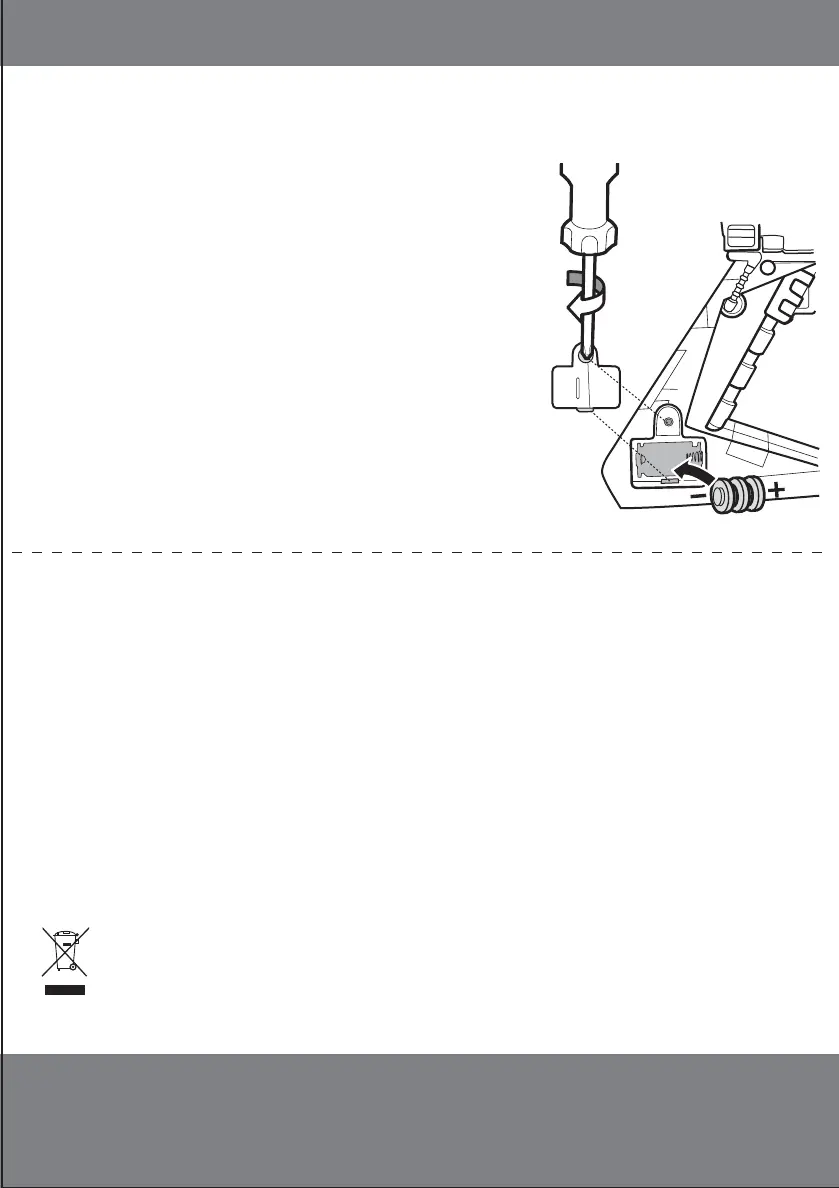
• Unscrew the battery cover with a Phillips head
screwdriver (not included).
• Remove batteries and dispose of them safely.
• Install 3 new button cell (AG13, LR44) batteries
in the orientation (+/-) shown.
• Replace battery cover and tighten screw.
• For longer life use alkaline batteries.
• When exposed to an electrostatic source, the
product may malfunction. To resume normal
operation, remove and re-install the batteries.
BATTERY SAFETY INFORMATION
Protect the environment by not disposing of this product with
household waste (2002/96/EC). Check your local authority for recycling
advice and facilities.
In exceptional circumstances batteries may leak fluids that can cause a chemical burn
injury or ruin your product. To avoid battery leakage:
• Non-rechargeable batteries are not to be recharged.
• Rechargeable batteries are to be removed from the product before being charged.
• Rechargeable batteries are only to be charged under adult supervision.
•
Do not mix alkaline, standard (carbon-zinc), or rechargeable (nickel-cadmium) batteries.
• Do not mix old and new batteries.
• Only batteries of the same or equivalent type as recommended are to be used.
• Batteries are to be inserted with the correct polarity.
• Exhausted batteries are to be removed from the product.
• The supply terminals are not to be short-circuited.
• Dispose of battery(ies) safely.
• Do not dispose of this product in a fire. The batteries inside may explode or leak.
REBEL LIGHTS (BLUE) & SOUNDS
IMPERIAL LIGHTS (RED) & SOUNDS
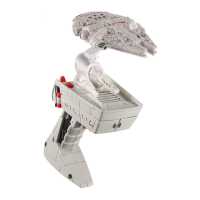
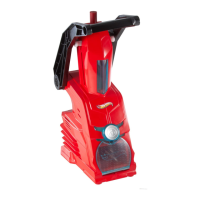
FLIGHT CONTROLLER
™
HANDHELD ACCESSORY
INCLUDES 3 (AG13, LR44) BUTTON CELL BATTERIES. DISPOSE OF BATTERIES SAFELY.
This is a battery-operated product.
1 flyer (00007-1849G7 FCC) is required
to be placed inside the packaging.
NOTE: TOY GOES TO SLEEP WHEN LEFT IDLE TO CONSERVE
BATTERY LIFE. PULL TRIGGER TO RESUME PLAY.
• Batteries included are for demonstration purposes only.
• Replace the batteries if sounds distort or lights dim.
• Unscrew the battery cover with a Phillips head
screwdriver (not included).
• Remove batteries and dispose of them safely.
• Install 3 new button cell (AG13, LR44) batteries
in the orientation (+/-) shown.
• Replace battery cover and tighten screw.
• For longer life use alkaline batteries.
• When exposed to an electrostatic source, the
product may malfunction. To resume normal
operation, remove and re-install the batteries.
©2015 Mattel. All Rights Reserved. ® and ™ designate U.S. trademarks of Mattel, except as noted. Mattel, Inc., 636 Girard Avenue, East Aurora,
NY 14052, U.S.A. Consumer Services 1-800-524-8697. Mattel U.K. Ltd., Vanwall Business Park, Maidenhead SL6 4UB. Helpline 01628 500303.
Mattel Australia Pty., Ltd., Richmond, Victoria. 3121.Consumer Advisory Service - 1300 135 312. Mattel East Asia Ltd., Room 503-09, North
Tower, World Finance Centre, Harbour City, Tsimshatsui, HK, China. Tel.: (852) 3185-6500. Diimport & Diedarkan Oleh: Mattel Southeast Asia Pte.
Ltd. , No 19-1, Tower 3 Avenue 7, Bangsar South City, No 8, Jalan Kerinchi, 59200 Kuala Lumpur, Malaysia. Tel: 03-78803817, Fax: 03-78803867.
4+
© &
™
Lucasfilm Ltd.
1.
3.
1.
4.
2.
2.
3.
INCLUDES 1 STARSHIP. ADDITIONAL STARSHIPS SOLD SEPARATELY. NOT FOR USE WITH SOME HOT WHEELS
®
VEHICLES.
ATTACH ENEMY STARSHIP NOT INCLUDED TO PLAY AS THE ENEMY!
MAKE SURE STARSHIP IS ATTACHED TO FLIGHT CONTROLLER
™
FOR LIGHTS AND SOUNDS TO WORK.
OPEN THE CONTROLLER TO HOLD UP TO 3 STARSHIPS.
PULL TRIGGER TO ACTIVATE LIGHTS AND SOUNDS.
TILT CONTROLLER LEFT AND RIGHT TO MANEUVER
THE STARSHIP.
ATTACH ADDITIONAL STARSHIPS NOT INCLUDED.
SHIFT THE LEVER LEFT AND RIGHT TO MANEUVER ALL STARSHIPS.
a b
LIGHTS & SOUNDS (BLUE)
LIGHTS & SOUNDS (RED)
BACK VIEW



 To Previous Page