OPERATIONGUIDE
HOW TO OPERATE THE SMART REMOTE CONTOL
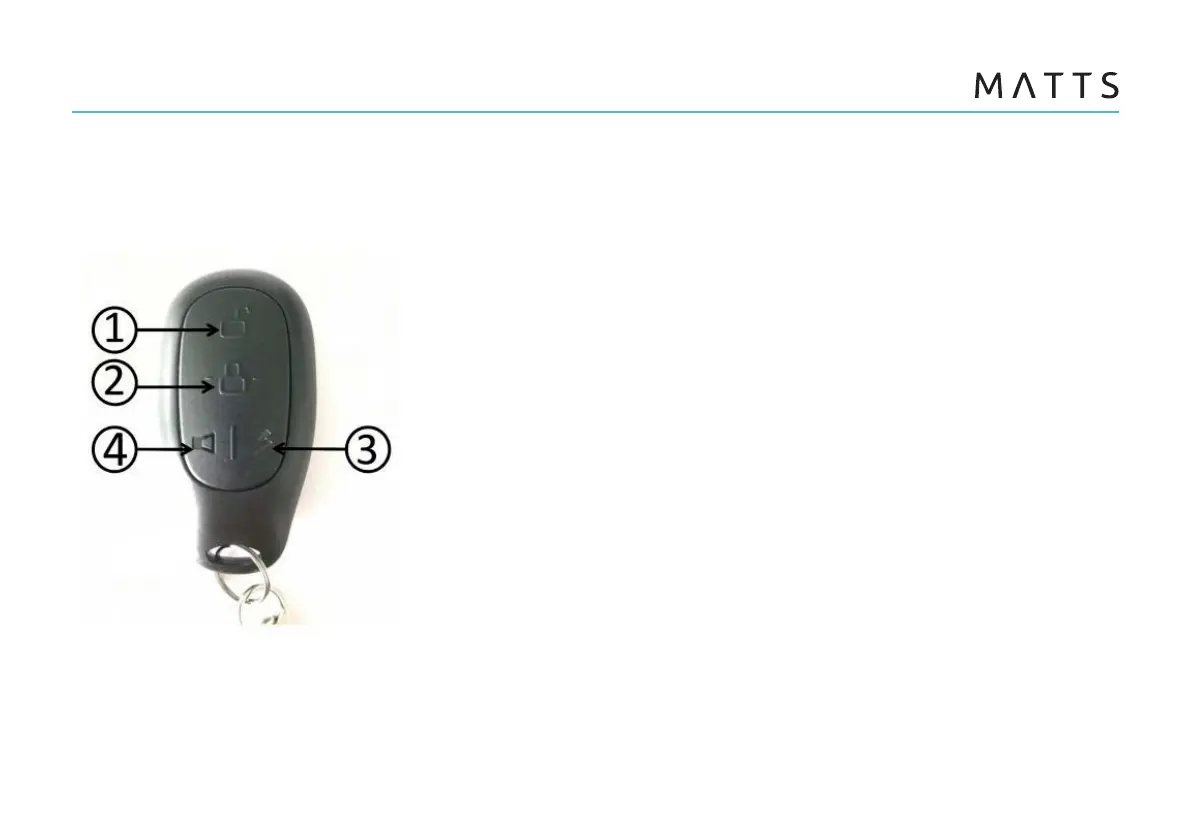
With the advanced Smart Remote Controller, you can
easily lock or unlock your electric scooter by simply
pressing the button within 50 meters.
1. Unlock
Press the unlock button, and the start button stays on. The
scooter enters into the [Unlocked State].
2. Lock
When the scooter is in the [Static State], press the lock
button, and the start button flashes. The scooter enters the
[Locked State].
3. Remote keyless entry
After unlock the scooter,press this button twice within two(2)
seconds, and the scooter will be in the “Powered” state
without key.
4. Search key
Press this witch within 50m, “Bi Bi” sounds searching the
scooter.



 To Next Page