EasyManua.ls Logo

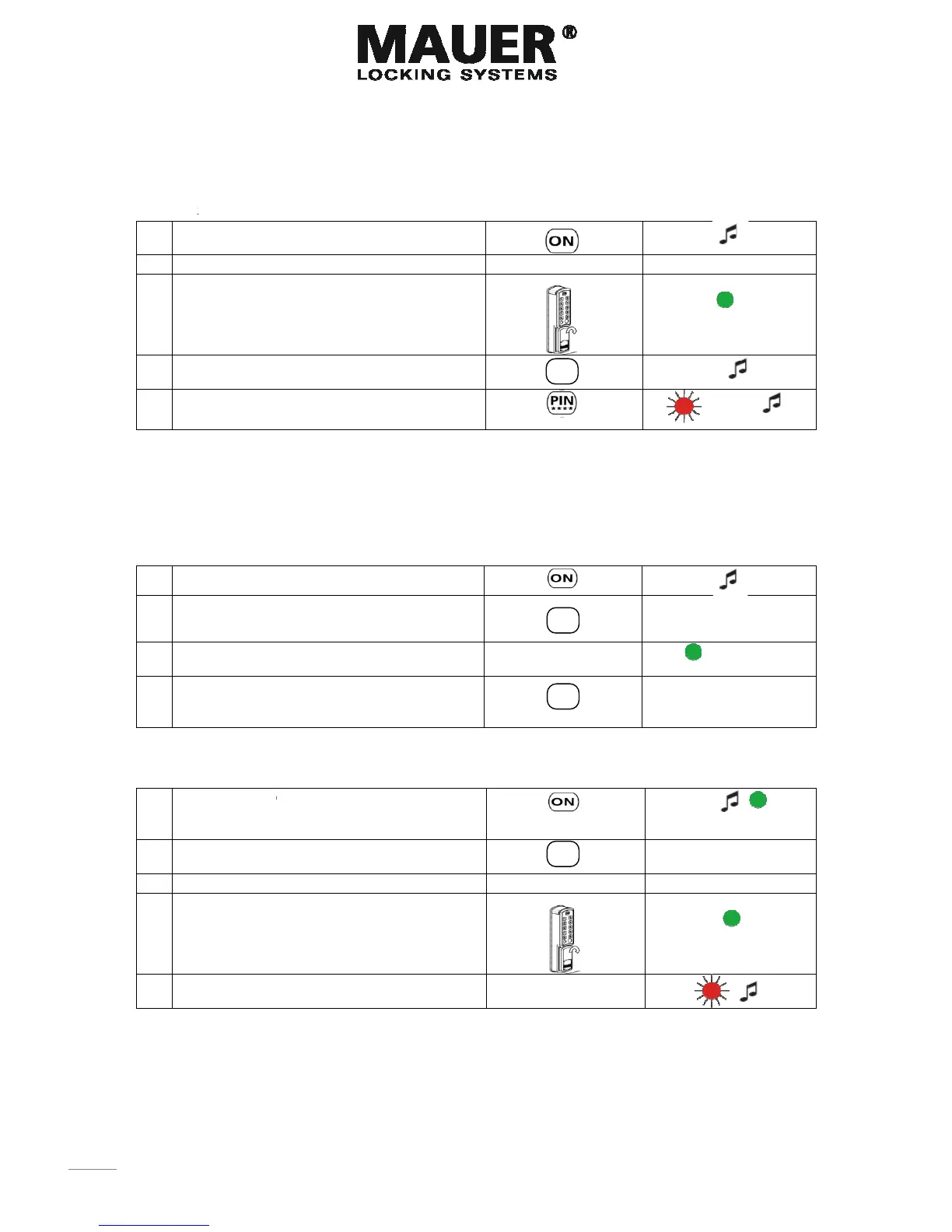
Mauer ESL-CAM - Master Code Management; Changing the Master Code

Mauer ESL-CAM
2 pages
Print Icon
To Previous Page IconTo Previous Page
Loading...
22
Progra
m
(The loc
k
1. Pr
e
2. In
p
3. Lo
10
4. In
p
5. In
p
example:
1+ 4-digit
2+ 4-digit
3+ 4- digi
t
4+ 4- digi
t
5+ 4- digi
t
Deletin
1. Pr
e
2. In
p
3. In
p
Tu
4. In
p
of
f
Changi
Caution!
1. Pr
e
gr
e
co
2. In
p
3. In
p
4. Lo
10
5. In
p
di
g
When y
o
If you d
o
m
ming a Us
e
k
can be used
e
ss; ON
p
ut; progr
a
ck unlocke
d
sec. Turn
h
p
ut a 1,2,3,4
p
ut a 4 digit
User code
User code
t
User code
t
User code
t
User code
g Use
r
co
d
e
ss; ON
p
ut; 0
p
ut; progr
a
rn handle t
o
p
ut the entr
a
f
the User c
o
ng MAST
E
All changes
e
ss and hol
d
e
en led ligh
t
ntinuously
p
ut; 7
p
ut; 1-2-3-
4
ck unlocke
d
sec. Turn
h
p
ut (Whilst
t
g
ital master
o
u change
a
o
not succ
e
Quic
er
code:
by 5 different
a
mming co
d
d
. The gree
h
andle to o
p
or 5 (entra
n
code
d
e:
a
mming co
d
o
open the l
a
nce digit.
W
o
de is delet
e
E
R code:
must be init
i
d
the ON b
u
t
s. The gre
e
4
-5-6 = Fact
o
d
. The gree
h
andle to o
p
t
he LED is
s
code
a
code. Ple
a
e
ed within t
h
kstart
(v
o
users).
d
e
n led stays
p
en the lock
n
ce digit)
d
e Lock unl
o
ock.
W
hen the le
d
e
d.
i
ated with th
e
u
tton until t
h
e
n LED stay
s
o
ry code.
n led stays
p
en the lock
s
till on) a n
e
a
se check it
h
e time peri
o
Guide
o
or5fixedus
e

on for
.
o
cked.
d
is
e
lock in lock
h
e
s
on
on for
.
e
w 6-
before clo
s
o
d, start th
e
ESL-
C
e
rs)

ed position
s
ing the do
o
e
procedure
0
1
7
1
C
AM

Changin
g

o
r .
again.

g
inreservati
versie
1x
4
x
10 se
c

on
1.02010
x
c
.
