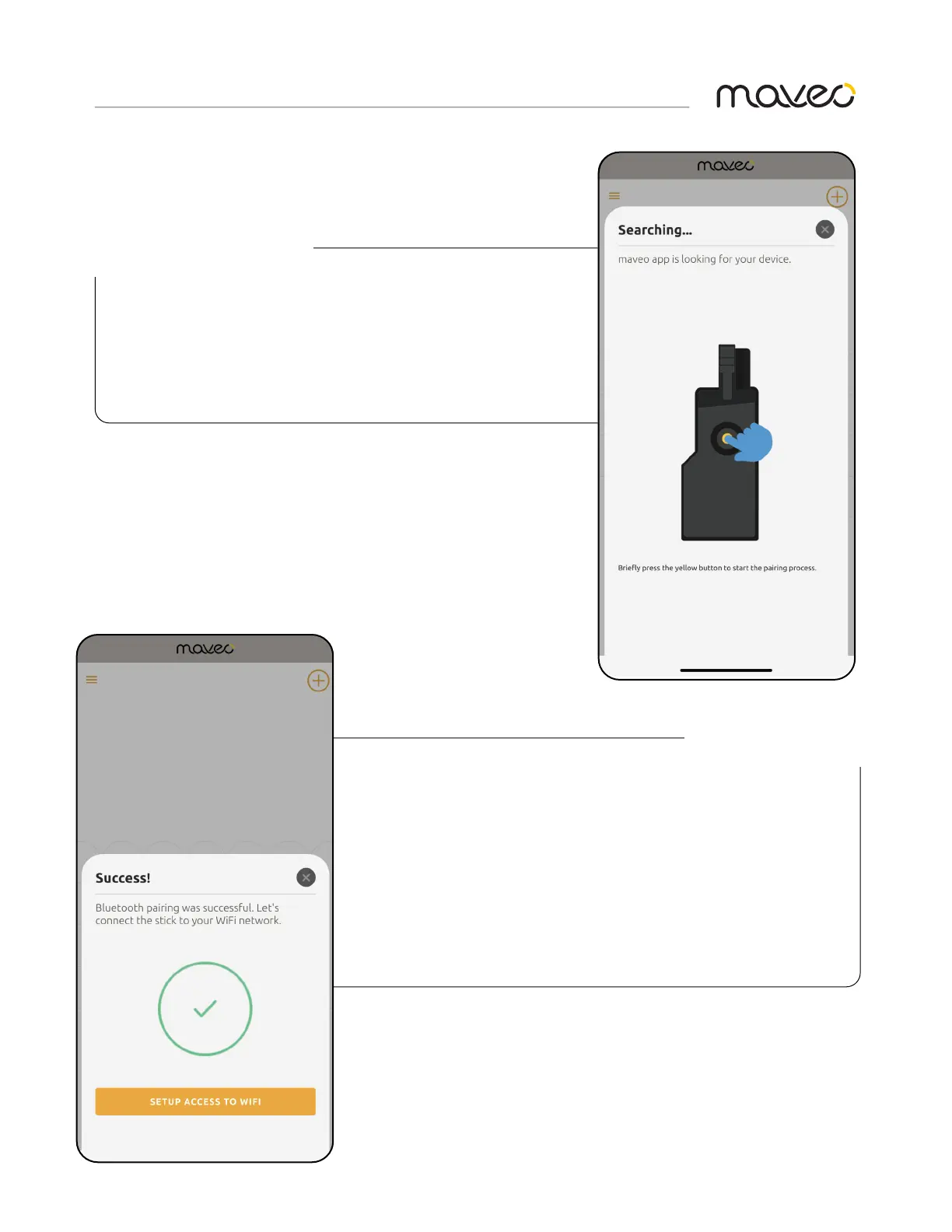
8. Press and release the yellow bluetooth
pairing button. The light on the BlueFi™
stick will blink blue and the pairing
process will begin.
9. Upon a successful pairing, you will see the
this screen. The light on the BlueFi™ stick will
change to solid blue.
10. Tap “SETUP ACCESS TO WIFI” and proceed.
If bluetooth paring is not successful, repeat
step 8.
PAIR THE BLUEFI™ STICK
COMPLETE PAIRING



 To Next Page