Spangenberg International B.V. – Nijverheidsweg 19F – 3641 RP Mijdrecht – Holland – T. +31 (0) 297 253 969 – F. +31 (0) 297 256 445
info@maximaholland.nl - www.maximaholland.com
Installation
1. Position the appliance on a flat and stable surface.
2. Choose a surface where the machine is not exposed to direct sunlight, or close to a direct source of heat
such as a cooker, oven or radiator.
3. When positioning the appliance, maintain a distance of 10cm (4 inches) between the appliance and walls or
other objects for ventilation and ease of use.
4. Position the machine in such a way that the plug is accessible at all times.
5. Assemble any required parts (if applicable).
6. Plug the power plug into a grounded and compatible socket.
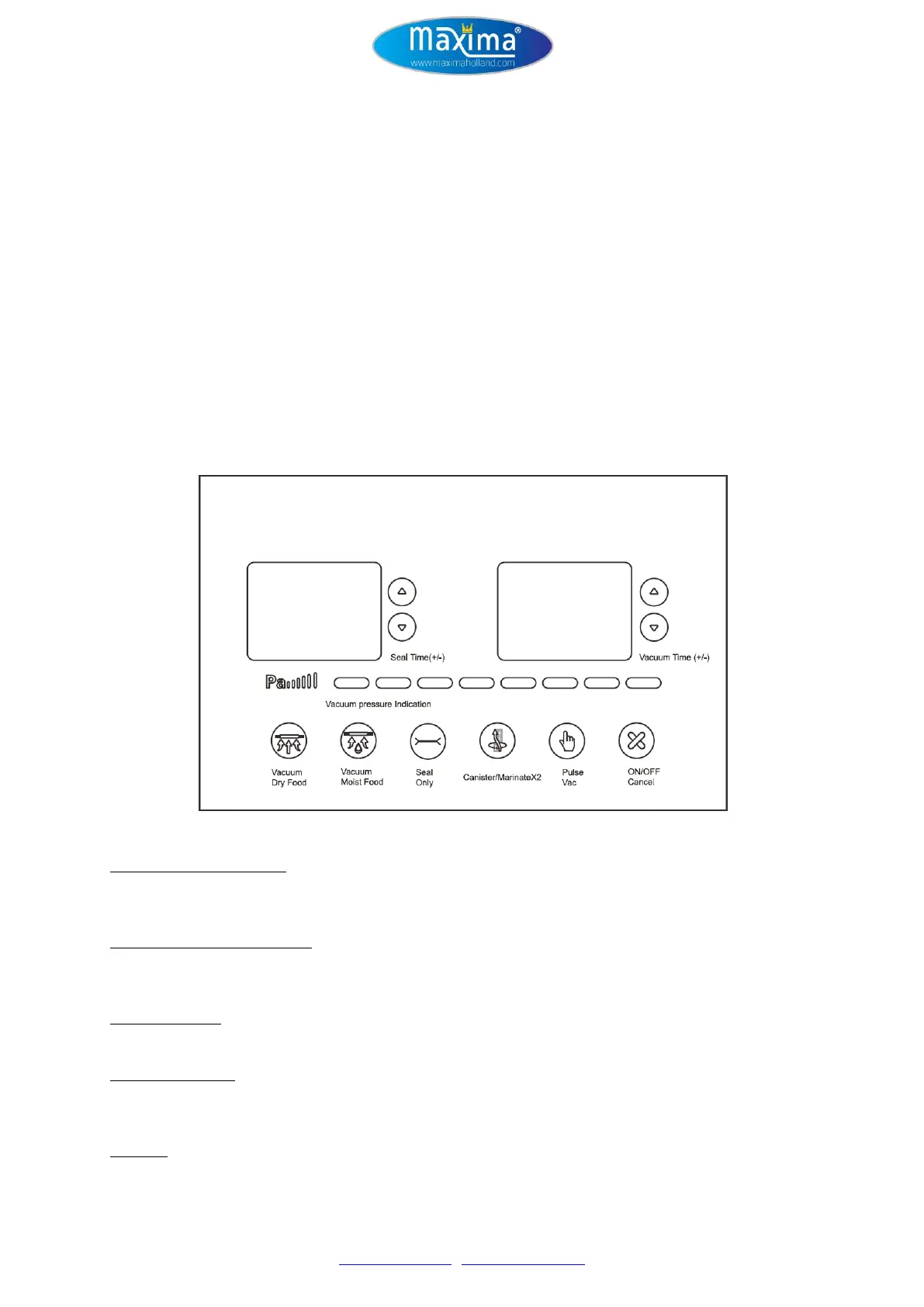
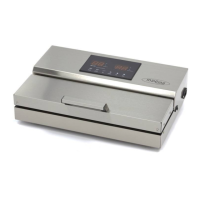
Control Panel
Seal Time +/- (0-10 seconds)
Allows you to increase or decrease the sealing time. Touch ▲ key to increase the sealing time. Touch ▼ key to
decrease the sealing time. Each touch will increase or decreases sealing time by 1 second.
Vacuum Time +/- (0-80 seconds)
Allows you to increase or decrease the vacuum time. Touch ▲ key to increase the sealing time. Touch ▼ key to
decrease the sealing time. Each touch will increase or decreases vacuum time by 5 seconds.
Vacuum Dry Food
Use this function when vacuum sealing dry products. The default seal time for this function is 5 seconds.
Vacuum Moist Food
Use this function when vacuum sealing moist, damp or wet products. The default seal time for this function is 8
seconds.
Seal Only
Use to create seal only or to immediately stop the vacuum process and begin sealing.


 To Next Page