USER’S MANUAL MAXT250HD
Fte maximal Italia s.r.l.u. ENGLISH 9
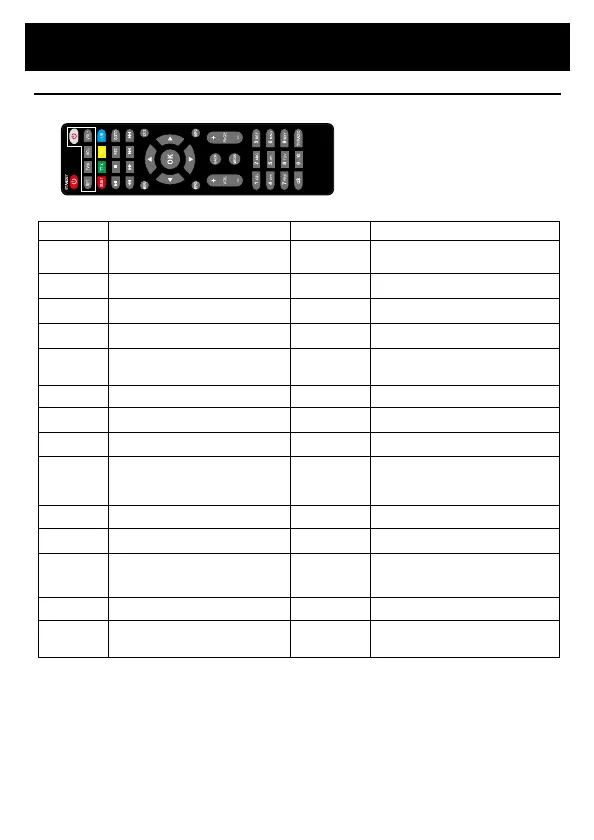
Key Function Key Function
Power
( STANDBY)
Switch the product on or standby
CH +
CH -
Browse through menus. Select the
next or previous channel.
Mute
Mute or Restore Audio Output
Browse through menus. Increases or
SET
Allows you to configure the remote
TVIN (2010
Allows you to change the source of
SUB-T
View subtitle options (availability
TT-X
View current service text information
Fav
Displays the list of favorite
channels. Press FAV again to access
L/R
Choose audio language
►II
Start or resume media playback
■
Stop playing media
REC
Press this key to start recording the
GOTO
Select recording time
◄◄
Performs forward searches during
►►
Backward searches during media
I◄◄
playing media and switch to the
previous channel while playing
►►I
Switch to the next track during
playback and switch to the next
channel while playing DTV.
MENU
Activate the main menu
EXIT
Use this key to exit the current menu.
EPG
Electronic Programme Guide)
Turn on the program guide
INFO
View information about the current
OK
Enter or confirm a task or display
the Quick Selection window when
there is no menu on the screen.
BACK
-
0~9
Select a channel or setting
MEDIA
Allows you to open multimedia files.
TV /
RADIO
Switch between the TV function to
Radio function and from Radio to
PAGE +/-
Page Up, Page Down


 To Next Page
 Loading...
