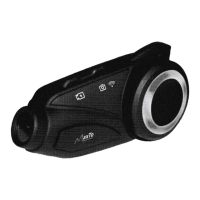
Open the
inner lining
on
Attach
the headphone
the
ear
position
ofthe
Velcro hook to the loop
helmet and attach the
(the
short-line speaker
VELCRO |oop, is on the leít).
@
M
n
@
+
dD
Place butterfly sticker in
the right
position
on the
left side of the helmet,
match the microphone
with the mouth
position,
and tidy up the line and
lin ing.
lI
t]il\
Hl \\\
brNL-*..
\,$p r\\
\
\
!::;:!:i.,#Tffi,i:",
provided
screw
driver,
;'
'\
i,.l }j
j
@,,
.
,)v
\J
z
,d.,r,-.,-.'"'",
",l
;' .,"r' ,,,'
."'
;
@
\o9
t
.{D
-t-6d
Open the lining of helmet,
insert the clamp in the
proper position
on the
Ieft
of
heImet
and
fasten the
screW,
z
E
slide the back track oí the
device
into
the clamping
track.
g
lnsert the
plug
into the headset socket and the
installation comolete,
.............,.,.,(.,.,....aa\\\\\\\\\\\\\\\\\\\\\\\\\\\\\\
Slide the back track
of the
Tear
off
the wh ite
paper
on the back
of the clamp and
device
into the clamping stick
it in the right
position
on the
left
side
of the helmet
track,
ffi
Pull out the headset
plug.
Press the upper clamp
buckle and
move
the device
upward to remove
it.
o
o
,r,/rru.r/rrrrr,.r1|


 To Next Page
 Loading...