6 7
3 HAND ANALOGUE
To set the time:
1. Make sure your watch is completely dry
2. For gents and Waverider styles only, unscrew the crown
(see SCREW DOWN CROWN INSTRUCTIONS), for all
other styles go to step 3
3. Pull the crown out to position ‘B’
4. Turn the crown clockwise or anticlockwise to move the
hands to the correct time
5. Push the crown back to position ‘A’, or
6. Screw the crown back to its original position
(see SCREW DOWN CROWN INSTRUCTIONS)
Note: No backward hand or
date adjustments should be
made with analogue hands
between 8pm and 3am. At
these times, the gears are too
close together and such a
change could cause damage.
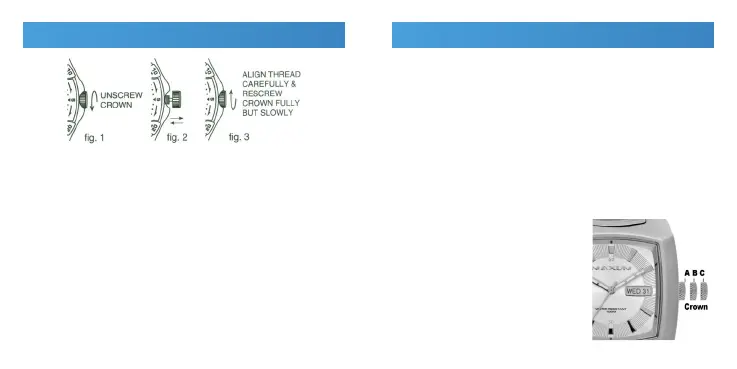
To change the time or date on your watch, the crown of
the watch must rst be unscrewed. Do this by following
the below steps:
1. Make sure your watch is completely dry
2. Turn the crown anticlockwise
3. Once the crown is completely unscrewed it can be
pulled out to set your watch
4. After setting, push the crown back in fully, then
while applying slight pressure, turn the crown
clockwise to reseal your watch.
Important: The crown must be completely screwed in
for your watch to be water resistant. Never unscrew the
crown when your watch is in water or is wet.
SCREW DOWN CROWN


 To Next Page
 Loading...