19
Installation and User Instructions18
Mayku Multiplier
Make sure to wear hearing protection when doing
tank draining/venting. Only use tools as described
in 6.1.
Tank draining process:
1. Follow on-screen instructions (Menu >
Maintenance) - more information at
platform.mayku.me
WARNING
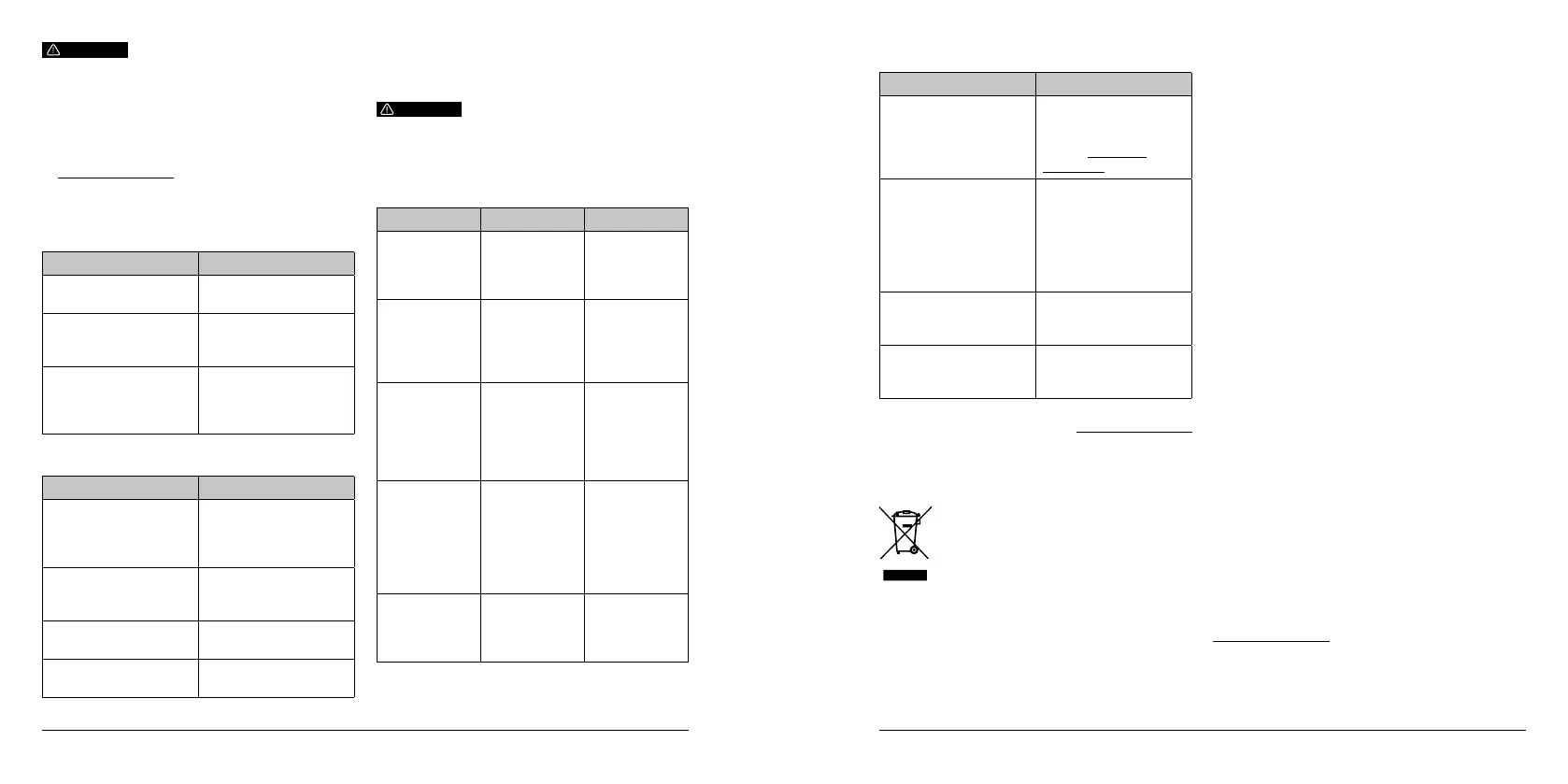
6.2. How to inspect the product
6.2.1. Weekly inspection tasks
Task Action
Check the seal
for signs of dirt
Wipe clean the seal
with a damp cloth.
Check the bed for
debris or dirt
Wipe down with a
damp cloth, or remove
for better cleaning.
Check heaters for signs
of cracking or failure.
Do not attempt to x.
Contact customer
support at support@
mayku.me.
Task Action
Drain the tanks Follow the on-screen
maintenance
instructions in the
settings menu.
Check the heat
temperature sensor
Clean gently with
a damp cloth or
cotton swab.
Check the heat reector Wipe down the
heat reector.
Check the rail
lubrication
Apply recommended
lubricant if dry.
6.2.2. Monthly inspection tasks
WARNING
7. Troubleshooting and repair
7.1. How to identify and solve problems
This product is not intended for end user repair
due to specialised pressure equipment inside the
machine. Opening or modifying the machine will
void your warranty and could cause serious injury
or death.
Error Cause Solution
Machine leaks
when forming.
Seal is dirty or
in-correctly
tted.
Clean seal
and ensure it
is properly set
into the dome.
Plastic dips
or raises too
much during
heating.
Temperature
sensor is
obstructed
or dirty.
Make sure the
temperature
sensor is clean
and free from
debris.
Plastic bursts
during forming.
Mold has
too many
undercuts
or improper
elements for
thermoforming.
Use a different
design of mold
that better
caters for the
properties of
thermoforming.
Plastic does not
form around
molds properly.
Machine was
left closed too
long before
locking and
forming,
allowing the
sheet to cool.
Close and
lock the
machine faster
to maintain
plastic
temperature.
Error code
on display.
Internal
electronics
failure.
Report to
Mayku at
support@
mayku.me.
7.2. Frequently asked questions
For further information please visit: platform.mayku.me
Question Answer
Where can I purchase
sheets for my machine?
Sheets can be
purchased on
our website by
visiting:materials.
mayku.me
How much pressure
does the Multiplier use?
The Multiplier uses
a maximum of 60PSI
(4.1 Bar) in the dome
to form the sheet,
and a maximum of
175PSI (12 Bar) in the
tanks for air storage.
What is the maximum
temperature of
the Multiplier?
The Multiplier can form
sheets up to
220°C (428°F).
How long does a form
take on the Multiplier?
A form on the Multiplier
normally takes between
5-10 minutes.
8. Disposal
8.1. Disposal of electronic components
The symbol on the product, the accessories or
packaging indicates that this device shall not be
treated as unsorted municipal waste, but shall be
collected separately. Dispose of the device via a
collection point for the recycling of waste electrical
and electronic equipment if you live within the EU and
in other European countries that operate separate
collection systems for waste electrical and electronic
equipment. By disposing of the device in the proper
manner, you help to avoid possible hazards for the
environment and public health that could otherwise
be caused by improper treatment of waste equipment.
The recycling of materials contributes to the
conservation of natural resources.
8.2. Disposal of packaging waste
The packaging is made of environmentally friendly
materials, which may be disposed through your local
recycling facilities. By disposing of the packaging and
packaging waste in the proper manner, you help to
avoid possible hazards for the environment and public
health. The symbol on the packaging indicates that
the packaging is made of PAP.
8.3. Environmental commitment
At Mayku we are working towards a sustainable
future. Where people have the power to create, not
just consume. We consider the environmental impact
of every product we make as well as the materials
that work with them. That’s why Mayku Sheets are
made out of as much recycled content as possible
without compromising quality. We have also ensured
that they are fully recyclable - so you can put them in
your regular household recycling waste. More than a
machines company Mayku is a community of Makers.
And we need you to join us in creating a sustainable
future. Please help us care for our environment by
recycling Mayku products and consumables whenever
possible.
9. Warranty
To nd out about the Warranty service available to our
registered users, please see our Warranty Terms at:
warranty.mayku.me


 To Next Page
 Loading...