Controlfeaturesand stylingvaryby model.
SELECTCYCLE
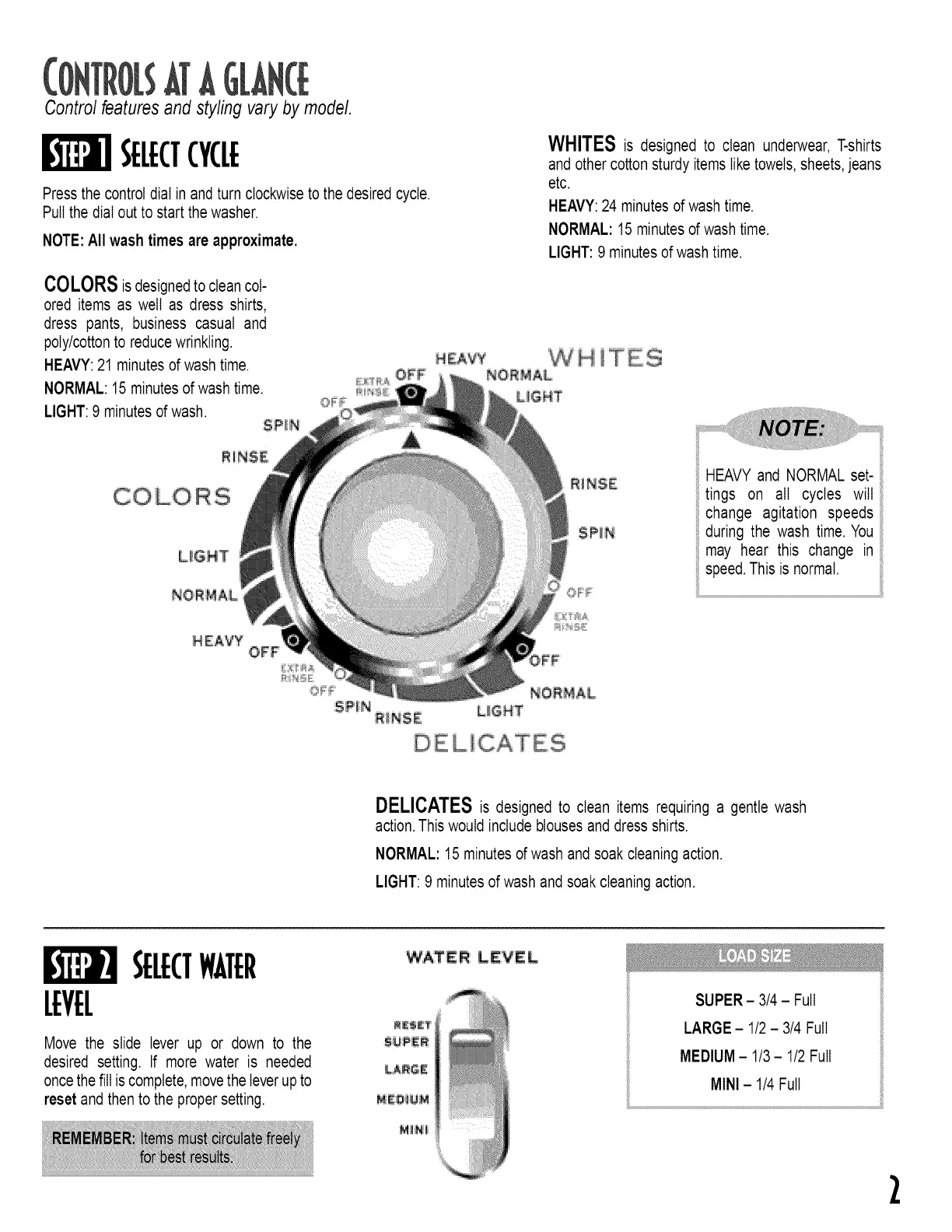
Press the control dial in and turn clockwise to the desired cycle.
Pull the dial out to start the washer.
NOTE:All wash times are approximate.
WHITES is designed to clean underwear, T-shirts
and other cottonsturdy items liketowels, sheets,jeans
etc.
HEAVY:24 minutes of wash time.
NORMAL: 15 minutes of wash time.
LIGHT: 9 minutes of wash time.
COLORSisdesignedto cleancol-
ored items as well as dress shirts,
dress pants, business casual and
poly/cottonto reducewrinkling.
HEAVY:21 minutes of wash time.
NORMAL: 15 minutes of wash time.
LIGHT: 9 minutes of wash.
SPIN
EAVY W H T ES
NORMAL
@P!N
HEAVY and NORMAL set-
tings on all cycles will
change agitation speeds
during the wash time. You
may hear this change in
speed,This is normal,
DE LICATES
DELICATESis designed to clean items requiring a gentle wash
action.This would includeblouses and dress shirts.
NORMAL: 15 minutes of wash and soak cleaningaction.
LIGHT: 9 minutes of wash and soak cleaningaction.
SELECTWATER
LEVEL
Move the slide lever up or down to the
desired setting. If more water is needed
oncethefill iscomplete,movethe leverupto
reset and then to the proper setting.
WA:TE R: LEVE IL
LA_E
SUPER- 3/4 - Full
LARGE- 1/2 - 3/4 Full
MEDIUM- 1/3- 1/2 Full
MINI- 1/4Full
2



 To Next Page