5
–
30
Interior Features
Audio System
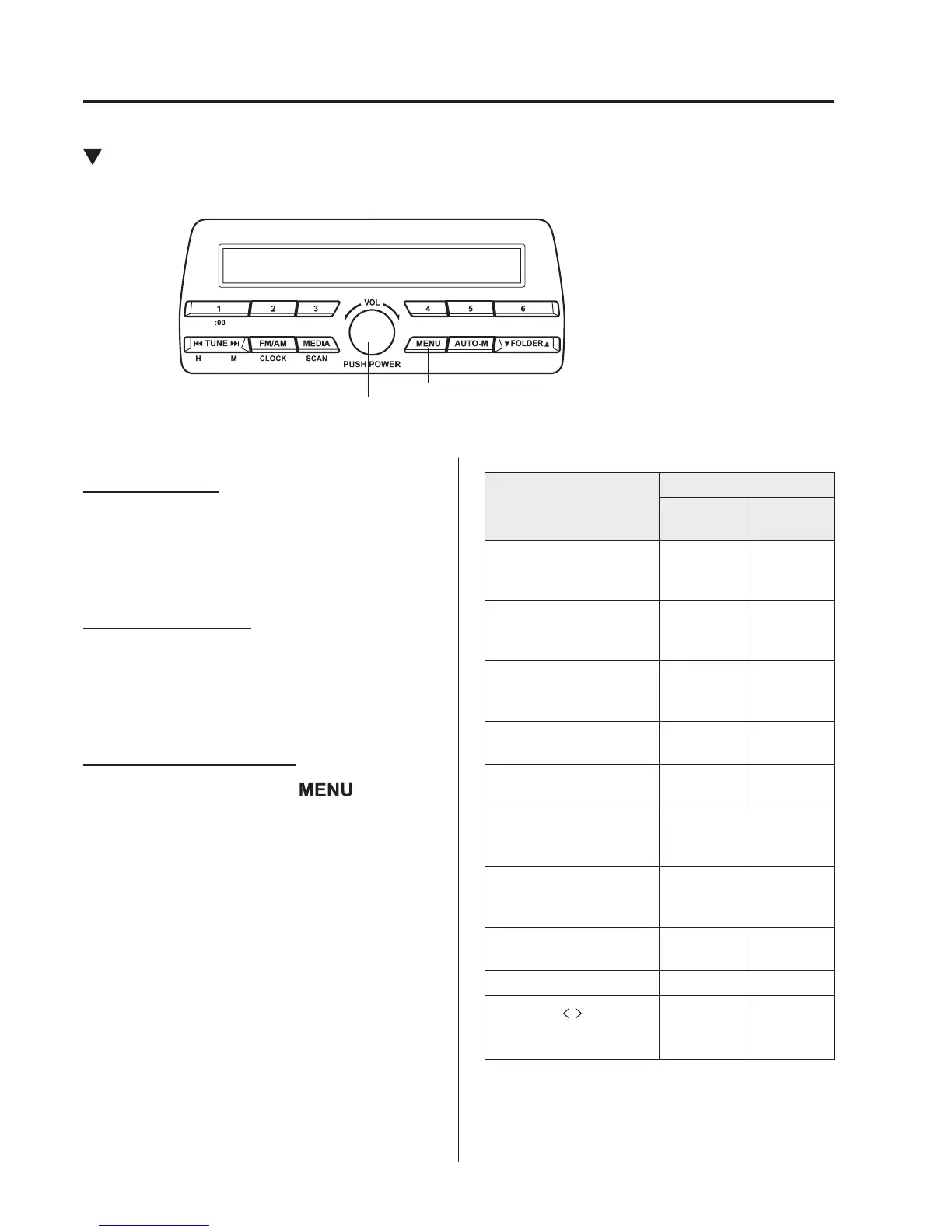
Power/Volume/Sound Controls
Power/Volume/Audio control dial
The figure is an example showing the type A unit.
Menu button
Audio display
Power ON/OFF
Switch the ignition to ACC or ON. Press
the power/volume dial to turn the audio
system on. Press the power/volume dial
again to turn the audio system off.
Volume adjustment
To adjust the volume, turn the power/
volume dial. Turn the power/volume
dial clockwise to increase volume,
anticlockwise to decrease it.
Audio sound adjustment
1. Press the menu button (
) to select
the function. The selected function will
be indicated.
2. Turn the audio control dial to adjust the
selected functions as follows:
Indication
Setting value
Turn
Anticlockwise
Turn
Clockwise
AF
*1
(Setting Alternative
Frequency (AF))
Off On
REG
*1
(Setting Regional
Programme (REG))
Off On
ALC
(Automatic volume
adjustment)
Level
decrease
Level
increase
BASS
(Low pitch sound)
Decrease
bass
Increase
bass
TREB
(Treble sound)
Decrease
treble
Increase
treble
FADE
(Front/back volume
balance)
Shift the
sound to
the front
Shift the
sound to
the rear
BAL
(Left/right volume
balance)
Shift the
sound to
the left
Shift the
sound to
the right
BEEP
(Audio operation sound)
Off On
BT SETUP
*2
Select mode
12Hr
24Hr
(12 Hr/24 Hr time
adjustment)
12Hr
(Flashing)
24Hr
(Flashing)
*1 Type B
*2 Depending on the model, this function
may not be available.



 To Next Page