5
–
104
Interior Features
Bluetooth
®
NOTE
If an error occurs while trying to delete
the paired device, “ Err ” fl ashes in the
display for three seconds and the display
returns to “ LINK DELETE ”.
Bluetooth
®
audio device information
display
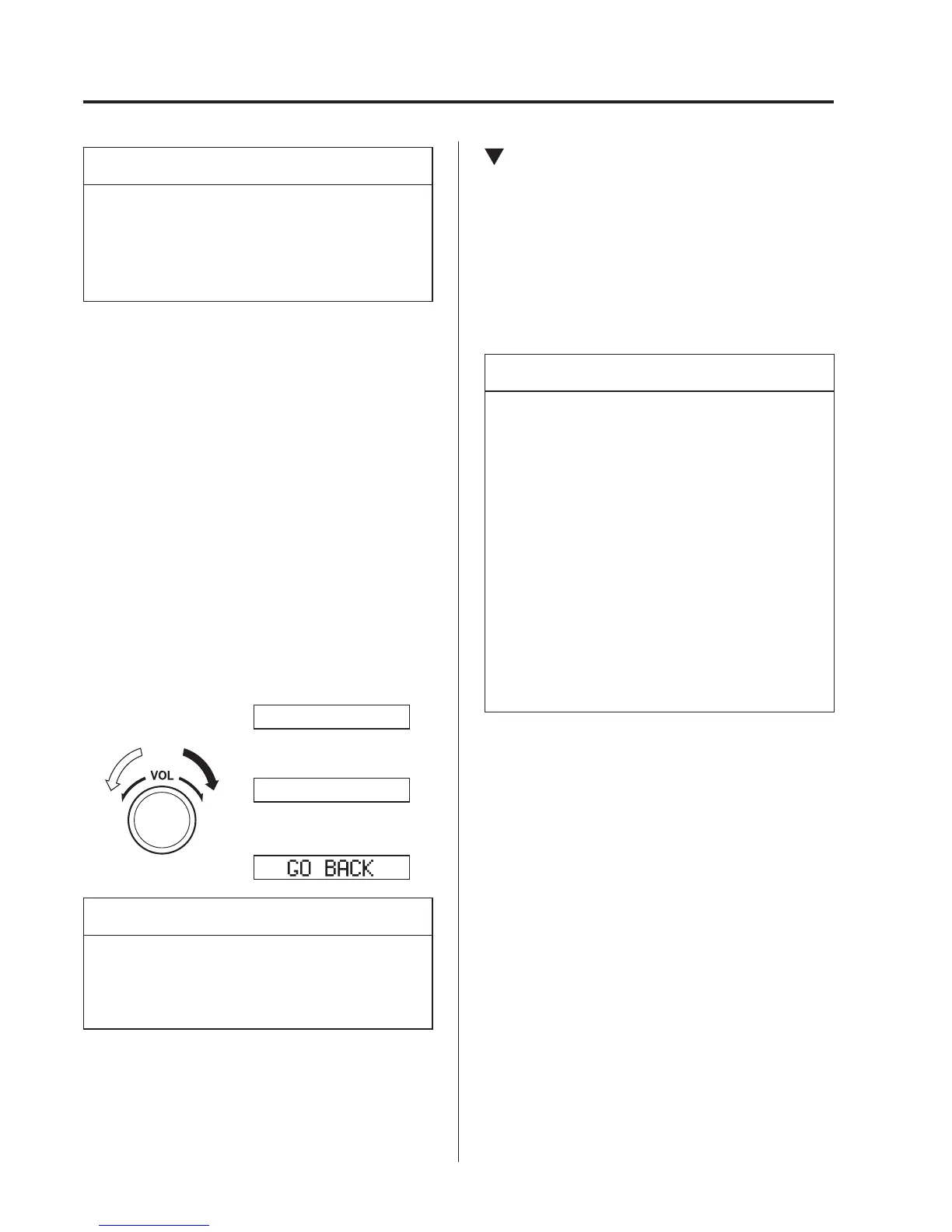
1. Using the audio control dial, select the
pair device information display mode
“ DEVICE INFO ” in the “ BT SETUP ”
mode. (Refer to “Bluetooth
®
audio
device set-up” for details.)
2. Press the audio control dial to
determine the mode.
3. The name of the Bluetooth
®
unit device
is displayed.
4. Rotate the audio control dial to select
the information for the Bluetooth
®
unit
which you would like to view.
Device name
BT address
NOTE
When “ GO BACK ” is selected and the
audio control dial is pressed, the display
returns to “ DEVICE INFO ”.
Available Language (Type A/Type
B)
The available languages are English,
French, Spanish, Italian, German, Dutch,
and Portuguese. If the language setting
is changed, all of the voice guidance and
voice input commands are done in the
selected language.
NOTE
If the language setting is changed,
device registration is maintained.
Phonebook records are not cleared,
but each language has a separate
phonebook. Therefore, entries
created in one language will need to
be re-entered in the phonebook of the
new language.
Do these steps before you start
driving. These less used functions
are too distracting to undertake while
driving until you are fully familiar
with the system.
(Method 1)
1. Press the pick-up button or talk button
with a short press.
2. Say: [Beep] “Setup”
3. Prompt: “Select one of the following:
Pairing options, confi rmation prompts,
language, password, select phone or
select music player.”
4. Say: [Beep] “Language”
5. Prompt: “Select a language: English,
French, Spanish, Italian, German,
Dutch, or Portuguese.”
6. Say: [Beep] “French” (Speak the
desired language: “English”, “French”,
“Spanish”, “Italian”, “German”,
“Dutch”, or “Portuguese”)



 To Next Page