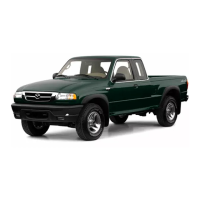
Wiper/washer
control lever
Intermittent wiper:
One click down
To change interval speed:
Rotate inner ring (2)
Normal wiper speed: Two
clicks down
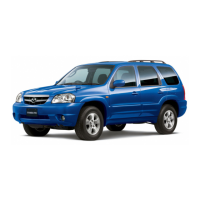
Cruise control
Operates above 25 mph
To activate: Press and release
CRUISE MAIN (1)
To set speed: Press and release
SET/COAST (3) at desired
To accelerate: Press and hold
RESUME/ACCEL (2); incremental
acceleration: Press and release (2),
each tap = plus 1mph
To decelerate: Press and hold
SET/COAST (3), release at desired
speed; or tap brake pedal, press
and release (3) at desired speed;
incremental deceleration: Press
and release (3), each tap = minus
1 mph
To cancel: Tap brake pedal, clutch
pedal (manual transaxle) or press
OFF button (4)
Return to preset speed (after
braking): Press and release
RESUME/ACCEL button (2)
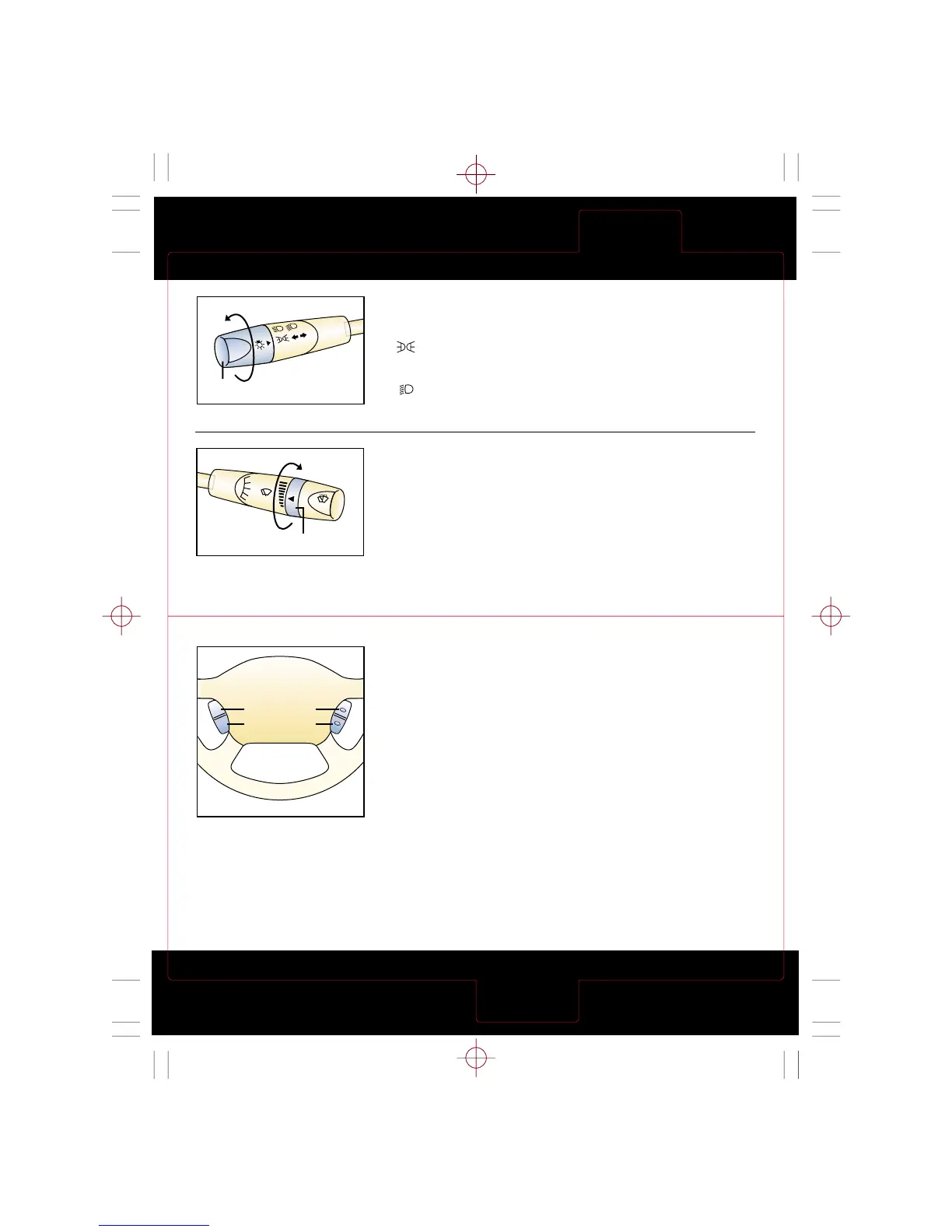
Turn signal/lighting
control lever
OFF = Lights off
= Tail, parking and
dashboard lights on: Rotate
knob (1) to first notch
= Tail, parking, dashboard
and headlights on: Rotate
knob (1) to second notch
High beams on/off: Push forward/
pull back to detent
To flash high beams: Pull back
slightly and release
Turn signals right/left: move
lever up/down
Fast wiper speed: Three
clicks down
Single wipe: Push stalk up
Washer: Pull stalk back


 To Next Page