If two previously programmed coded keys are not available, you must
bring your vehicle to your dealership to have the spare coded key(s)
programmed.
NOTE: Please read and understand the entire procedure before you
begin.
NOTE: This procedure must be completed within the specified times. If
not completed within the specified time period, the reprogramming
procedure must be restarted from the beginning.
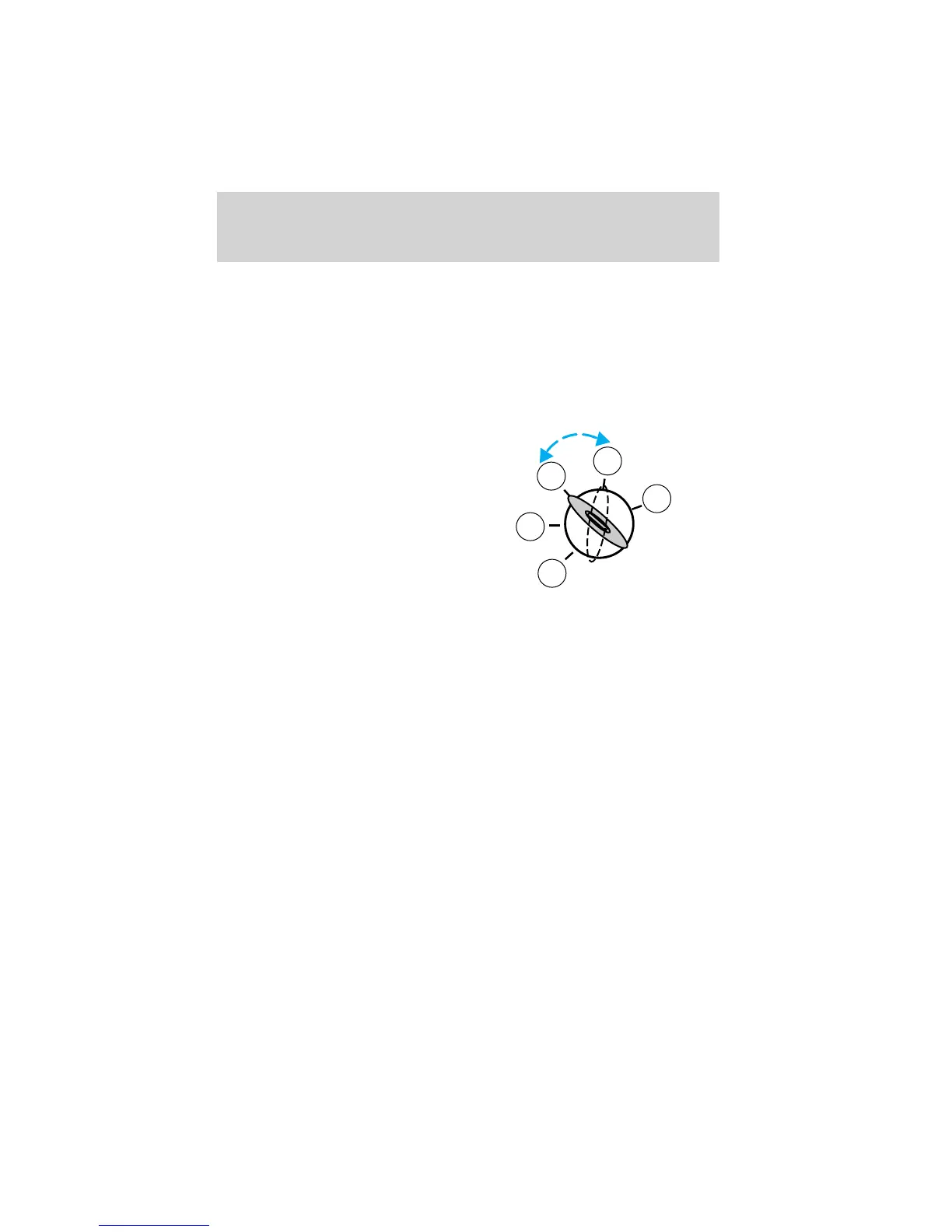
1. Insert the first previously
programmed coded key into
the ignition and turn the
ignition from 3 (OFF) to 4 (ON)
(maintain ignition in 4 (ON) for
at least one second).
2. Turn ignition to 3 (OFF) then 2
(LOCK) and remove the first
coded key from the ignition.
3. Within ten seconds of removing
the first coded key, insert the second previously programmed coded
key into the ignition and turn the ignition from 3 (OFF) to 4 (ON)
(maintain ignition in 4 (ON) for at least one second but no more
than ten seconds).
4. Turn the ignition to 3 (OFF) then 2 (LOCK) and remove the second
coded key from the ignition.
5. Within 20 seconds of removing the second coded key, insert the
new unprogrammed key (new key/valet key) into the ignition and
turn the ignition from 3 (OFF) to 4 (ON) (maintain ignition in 4
(ON) for at least one second). This step will program your new key
to a coded key.
6. To program additional new unprogrammed key(s), repeat this
procedure from step 1.
If successful, the new coded key(s) will start the vehicle’s engine and the
theft indicator will illuminate for three seconds and then go out.
If not successful, the new coded key(s) will not start the vehicle’s engine
and the theft indicator will flash on and off and you may repeat steps 1
through 6. If failure repeats, bring your vehicle to your authorized Mazda
dealership to have the new spare key(s) programmed.
3
2
1
5
4
Locks and Security
104















 To Next Page