Black plate (212,1)
l
Use discs that have been legitimately
produced. If illegally-copied discs such
as pirated discs are used, the system
may not operate properly.
l
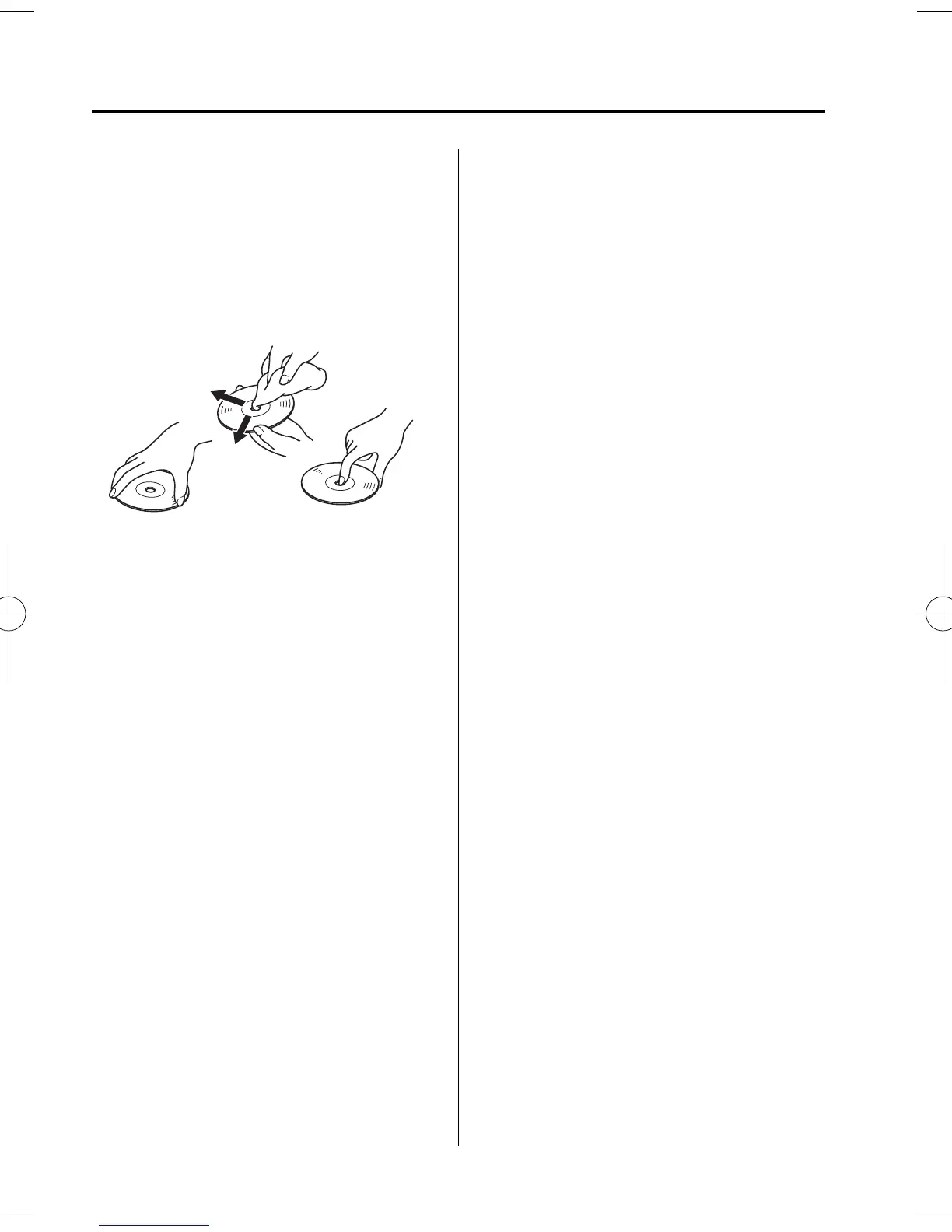
Be sure never to touch the signal
surface when handling the CDs. Pick
up a CD by grasping the outer edge or
the edge of the hole and the outer edge.
l
Do not stick paper or tape on the CD.
Avoid scratching the reverse side (the
side without a label). The disc may not
eject resulting in a malfunct ion.
l
Dust, finger smudges, and dirt can
decrease the amount of light reflected
from the signal surface, thus affecting
sound quality. If the CD should
become soiled, gentl y wipe it with a
soft cloth from the center of the CD to
the edge.
l
Do not use record sprays, antistatic
agents, or household spray cleaners.
Volatile chemicals such as benzine and
thinner can also damage the surface of
the CD and must not b e used. Anything
that can damage, warp, or fog plast ic
should never be used to clean CDs.
l
Insert discs one by one. If two discs are
inserted at the same time, the system
may not operate properly.
l
The CD player ejects the CD if the CD
is inserted upside down. Also dirty
and/or defective CDs may be ejected.
l
Do not insert cleaning discs in the CD
player.
l
Do not insert any disc with a peel-off
seal affixed to it.
l
This unit may not be able to play
certain CD-R/CD-RWs made using a
computer or music CD recorder due to
disc characteristics, scratches,
smudges, dirt, etc., or due to dust or
condensation on the lens inside the
unit.
l
Storing CDs in the vehicle exposed to
direct sunlight or high temperature may
damage the CD-R/CD-RWs, and make
them unp layable.
l
CD-R/CD-RW exceeding 700 MB
cannot be played.
l
This unit may not be able to play
certain discs made using a computer
due to the application (wr iting
software) setting used. (For details,
consult the store where the application
was purchased.)
l
It is possible that certain text data, such
as titles, recorded on a CD-R/CD-RW
may not be displ ayed when musical
data (CD-DA) is playing.
l
The period from when a CD-RW is
inserted to when it begins playing is
longer than a normal CD or CD-R.
l
Completely read the instruction manual
and cautions for CD-R/CD-RWs.
l
Do not use discs with cellophane tape
adhering, partially peeled off labels, or
adhesive material exuding from the
edges of the CD label. Also, do not use
discs wi th a commercially-available
CD-R label affixed. The disc may not
eject resulting in a malfunct ion.
6-16
Interior Comfort
Audio System
Mazda5_8DW3-EA-14H_Edition1 Page212
Tuesday, June 3 2014 12:34 AM
Form No.8DW3-EA-14H



 To Next Page