37
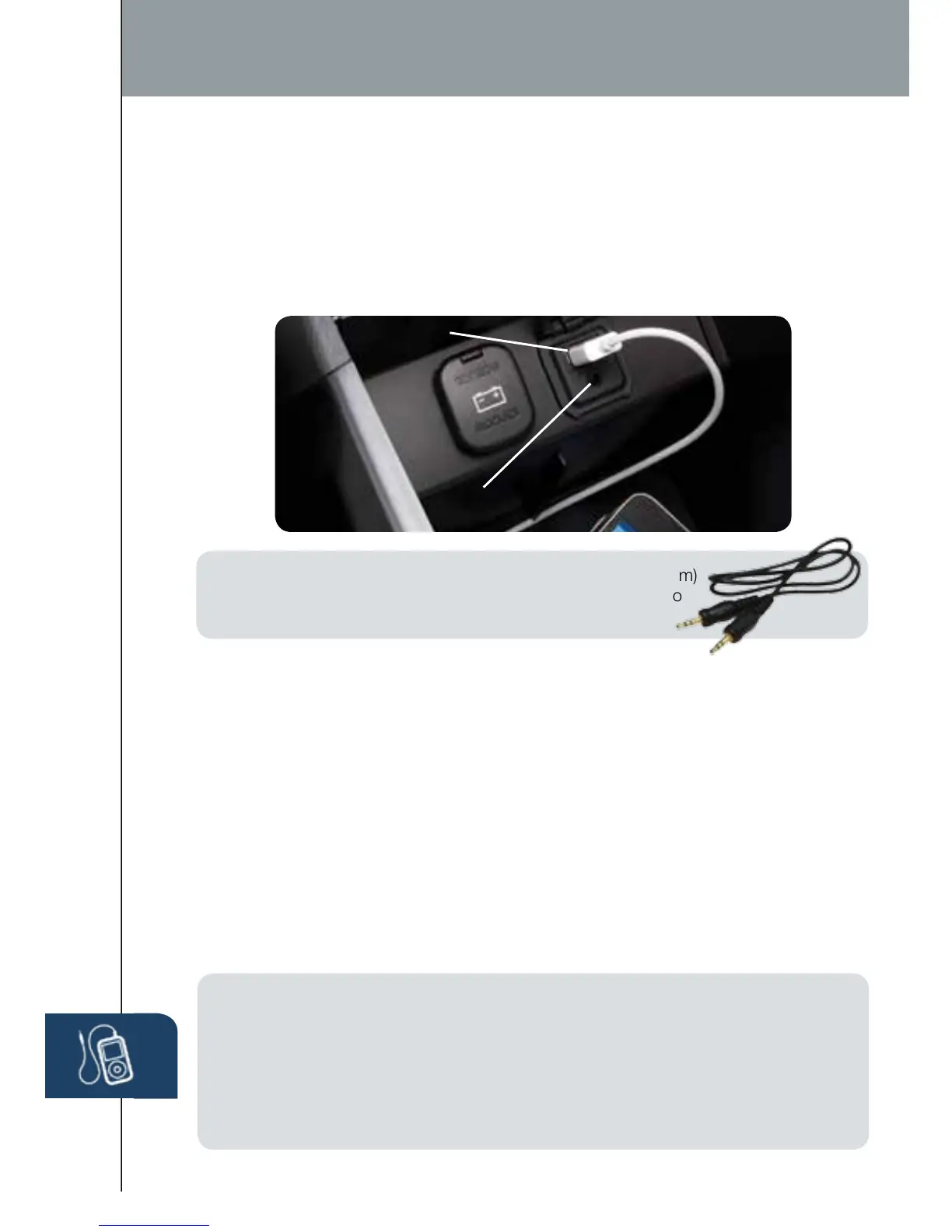
1 Locate the USB port or AUX jack inside the center console.
2 Connect the device plug into the portable audio player and into the
USB port or AUX jack.
3 Turn the vehicle audio system on.
4 • Audio Controls (without 5.8” LCD screen): Push the USB/AUX
button on the audio unit to switch to the AUX mode.
• Audio Controls (with 5.8” LCD screen): Push AUDIO button
on audio system, then touch AUX on-screen button.
5 • USB Port: Use the vehicle’s audio system or steering wheel controls
to control the connected USB device.
• AUX Jack: Use the portable audio player controls to play music.
Refer to the Owner’s Manual for additional information.
PORTABLE AUDIO PLAYER INTEGRATION USING THE
USB PORT OR AUX JACK
Your vehicle is equipped with a USB port and auxiliary AUX jack located in the
center console. This will allow you to play your iPod, USB device, or portable
audio player through the vehicle’s audio system. Learn the system when
parked and do not let it distract you while driving.
USB Port
AUX Jack
Audio
IMPORTANT:
•
Set the volume level on your portable audio player to the highest level before
distortion starts, then use the vehicle’s audio system to adjust the volume.
• Unplug any device from the USB port and accessory socket before turning off
the vehicle. Leaving devices plugged in can drain the battery and cause issues
during the Bluetooth pairing process at startup. Wait about 15 seconds after
starting the vehicle before plugging anything into the USB port.
NOTE: You will need an audio cable with an 1/8 inch (3.5 mm)
mini stereo plug (available as a Genuine Mazda accessory) to
connect your portable audio player into the aux jack.
1660320_15b_Mazda6_SSG_021714.indd 37 2/17/14 11:13 AM



 To Next Page