4
–
183
When Driving
i-ACTIVSENSE
Smart City Brake Support (SCBS)
Indicator Light (Red)
If the Advanced Smart City Brake Support
(Advanced SCBS) is operating, the
indicator light (red) À ashes.
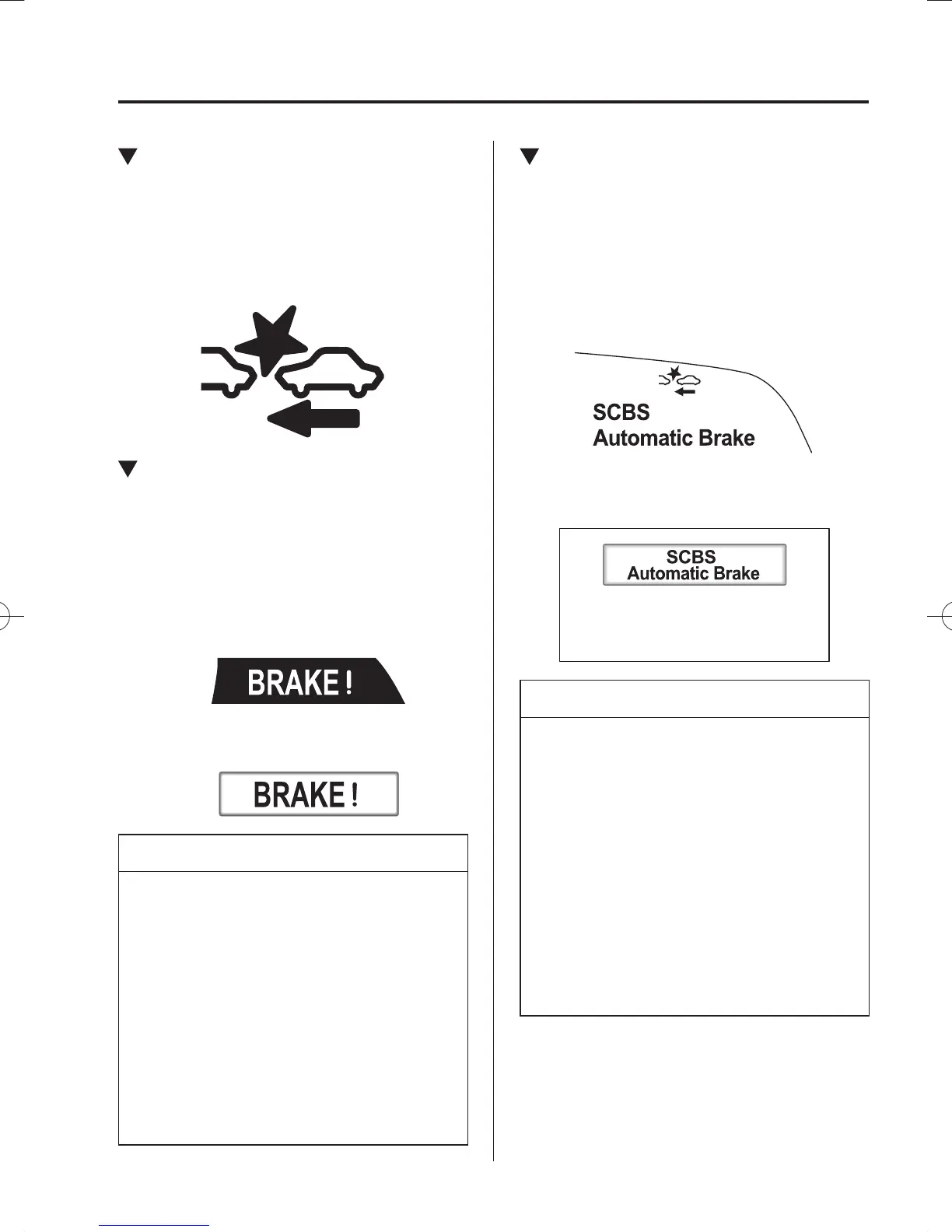
Collision Warning
If there is the possibility of a collision
with a vehicle ahead, the beep sounds
continuously and a warning is indicated in
the multi-information display or the active
driving display.
Multi-information Display
Active Driving Display
NOTE
(Without SCBS OFF switch)
The operation distance and volume
of the collision warning can be
changed.
Refer to Personalisation Features on
page 9-17 .
(With SCBS OFF switch)
The operation distance and volume
of the collision warning can be
changed. Consult an Authorised
Mazda Repairer.
Automatic Brake Operation
Display
“SCBS Automatic Brake” is displayed in
the multi-information display or the active
driving display after the Advanced SCBS
brakes or the brake assist (Advanced
SCBS brake assist) is operated.
Active Driving Display
Multi-information Display
NOTE
The collision warning beep sounds
intermittently while the Advanced
SCBS brake or brake assist
(Advanced SCBS brake assist) is
operating.
If the vehicle is stopped by the
Advanced SCBS operation and the
brake pedal is not depressed, the
warning beep sounds one time after
about 2 seconds and the Advanced
SCBS brake is automatically
released.
/C\FCA(,'''A'FKVKQPKPFD/C\FCA(,'''A'FKVKQPKPFD



 To Next Page