LOCKS
Always check the Owner’s Manual for more operating information and safety features
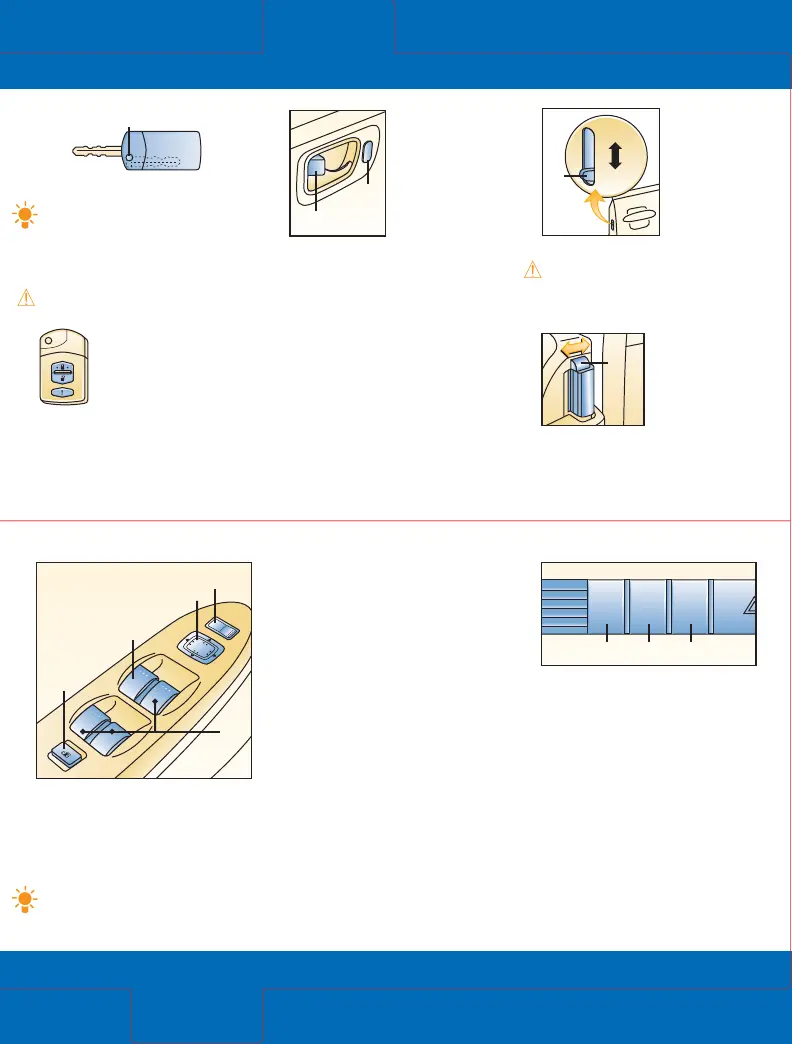
Power windows
Ignition must be on.
All windows controlled from the
driver’s armrest; passenger doors
have separate switches.
Driver’s window: One-touch-
down; push (3) down firmly and
release, window goes down all
the way; pull switch back briefly
to stop; press lightly and hold
for normal operation.
Passenger window switches:
Push down (4) and hold to open,
pull back and hold to close.
Power window lockout switch:
Press down (5) until it clicks,
only driver’s window operates;
press again and passenger
window switches function again.
Clock
To set: With ignition in ACC or
ON position, press H (6) or M (7)
to advance hours/minutes.
To set 12/24-hour format: Press
H/M buttons simultaneously for
1.5 seconds or more; 12h/24h will
be displayed; selected format will
be displayed within 3 seconds.
Time resetting: Press :00 button
(8) for 1.5 seconds or more,
displayed time flashes; when
:00 button is released, time will
be reset to nearest hour.
Locks
Switches/
Clock
Key
Operates ignition and all locks.
Tip: Use key number plate to
purchase a new key; store in
safe place separate from vehicle.
Retractable Key
To fold/unfold press release button (1).
WARNING: Never leave a child
in car with key in the vehicle.
Remote
entry
system
See Getting
Started
Illuminated entry system
Activates interior lights when dome
light switch set to DOOR position;
lights off after driver’s door is
locked or ignition in ON position.
Dual power mirrors
Ignition must be in ACC or ON.
To adjust left/right mirror:
Press control switch (1) left/right,
press switch (2) in direction of
desired mirror movement.
Tip: To lock mirrors in place,
move contr
ol switch to
center position.
Manual door
locks
T
o lock: Press
front of button (2)
toward door handle.
To unlock: Pull front
of button away
from door handle.
Power door locks
To lock/unlock all doors from
inside vehicle: Press bottom/top
of switch (3).
To lock doors without key:
With door open, press bottom
of door lock switch, exit car,
close doors.
To unlock: Use key to unlock driver’s
front door, rotate key to counter-
clockwise position for more than
one second to unlock other doors.
Child-safety
locks
Located at edge
of rear doors.
To activate: Pull
tab (4) down;
door opens from
outside only.
To cancel: Push tab (4) up.
WARNING: Since children
may access either r
ear door,
child-safety locks for both rear
doors should be activated.
Sliding doors
Lock/unlock from
interior: Slide
door-lock knob
(5) toward front/
toward back.
Locking from exterior: Slide
door-lock knob toward
front and close door.
5
Unlock
Lock
4
LOCK
UNLOCK
3
2





 To Next Page