Black plate (199,1)
Vent Operation
qAdjusting the Vents
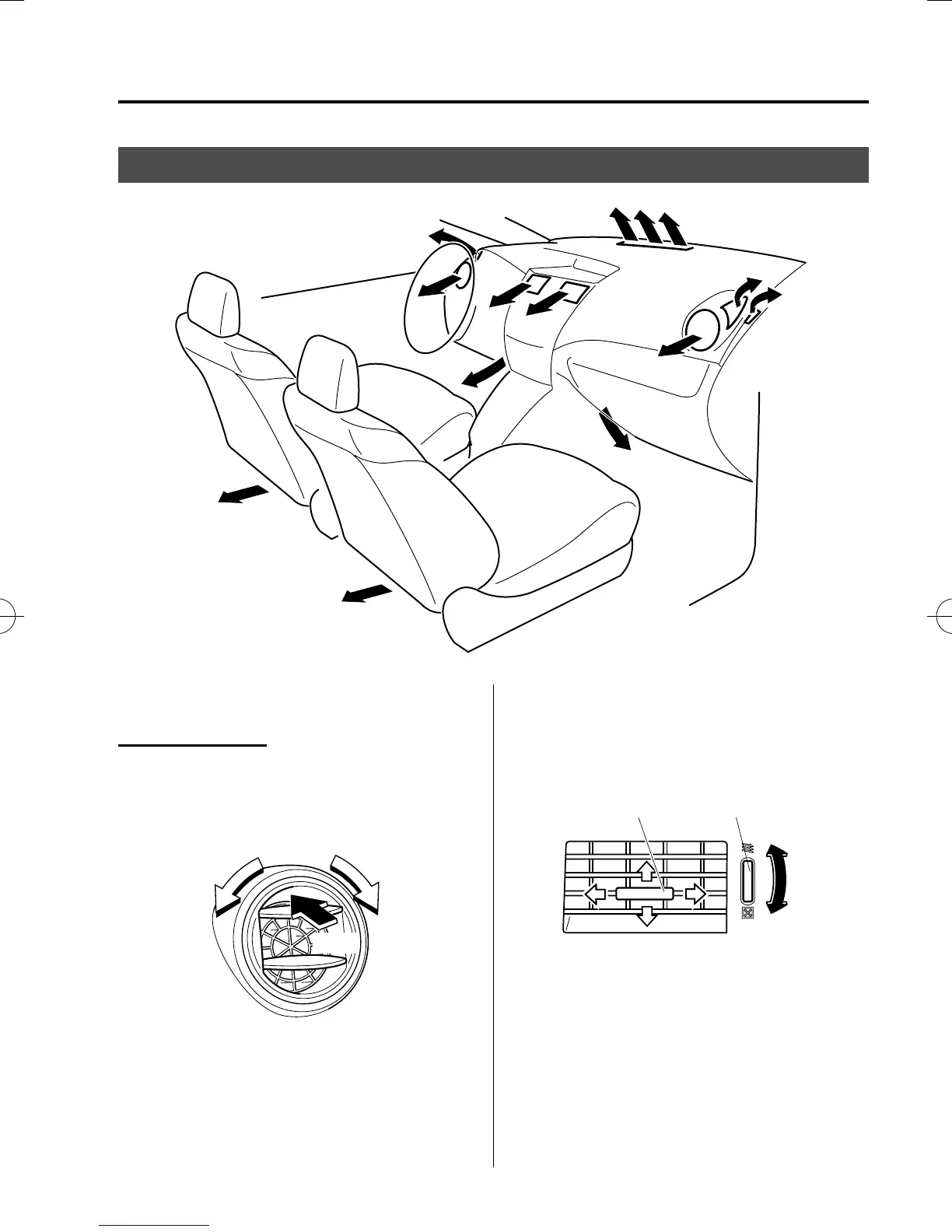
Directing airflo w
Side Vents
To adjust the direction of airflow, open the
vents and rotate them left and right.
Push
Center Vents
To adjust the direction of airflow, move
the adjustment knob.
Knob Dial
Close
Open
NOTE
l
When using the air conditioner under
humid ambient temperature conditions, the
system may blow fog from the vents. This is
not a sign of trouble but a result of humid
air being suddenly cooled.
l
The air vents can be fully opened and
closed by operating the dial.
Interior Comfort
Climate Control System
6-3
Mazda5_8FA7-EA-15G_Edition3 Page199
Friday, December 4 2015 8:26 AM
Form No.8FA7-EA-15G







 To Next Page