Black plate (274,1)
qReceiving an Incoming Call
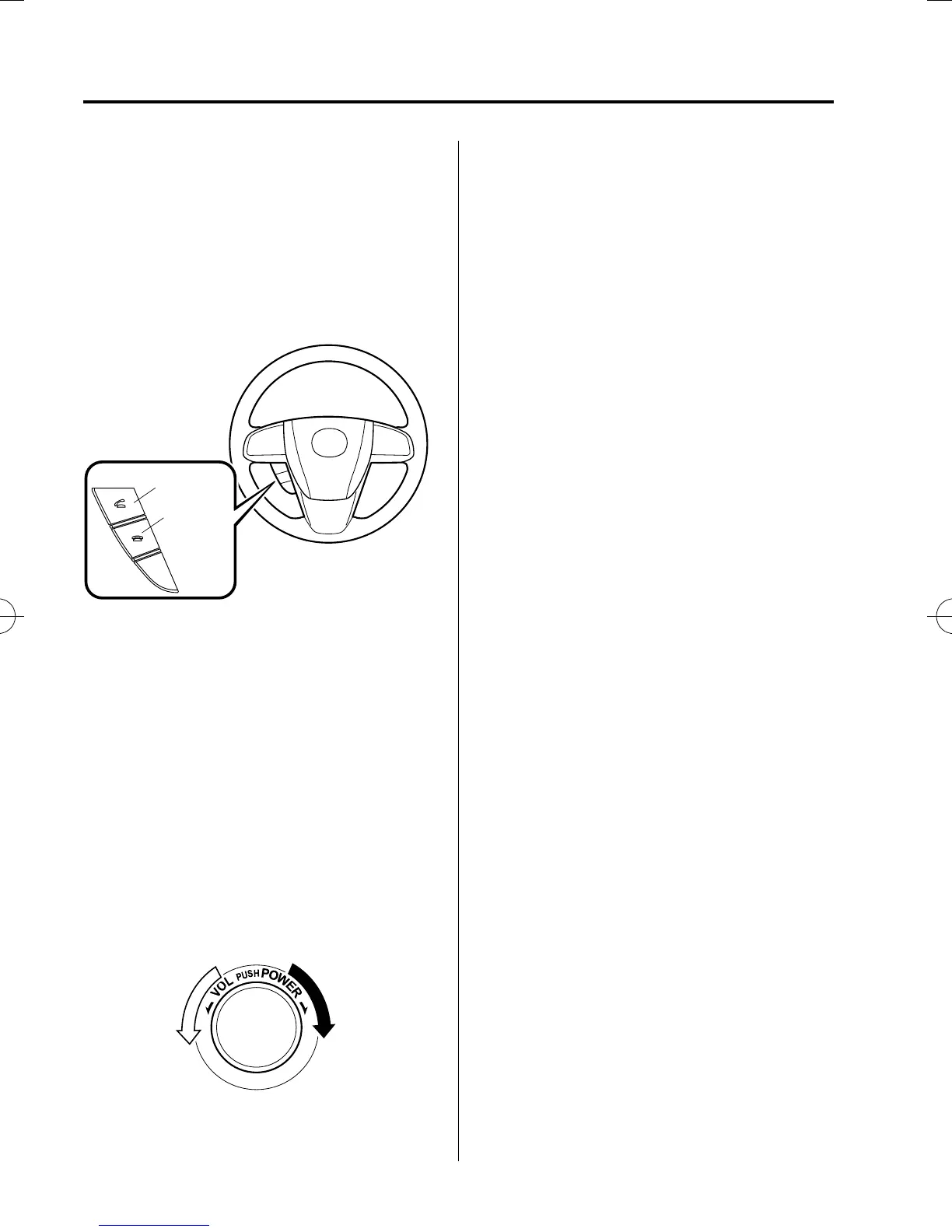
1. Prompt: “Incoming call, press the
pickup button to answer”.
2. To accept the call, press the pick-up
button.
To rejec t the call, press the hang-up
button.
Pick-up button
Hang-up
button
qHanging Up a Call
Press the hang-up button during the call.
A beep sound will confirm that call is
ended.
qVolume Adjustment
The power/volume dial of the audio unit
is used to adjust the volume. Turn the dial
to the right to increase volume, to the left
to decrease it.
NOTE
l
The volume can also be adjusted using the
volume button on the steering wheel.
l
The music volume of the audio unit cannot
be adjusted while Bluetooth Hands-Free is
being used.
6-78
Interior Comfort
Bluetooth® Hands-Free
Mazda5_8FA7-EA-15G_Edition3 Page274
Friday, December 4 2015 8:27 AM
Form No.8FA7-EA-15G







 To Next Page