Black plate (293,1)
qTrip Computer
í
The trip computer can display the
following:
l
The current fuel economy.
l
The average fuel economy.
l
The approximate distance you can
travel on the available fuel.
l
The average vehicle speed.
Switch the ignition ON.
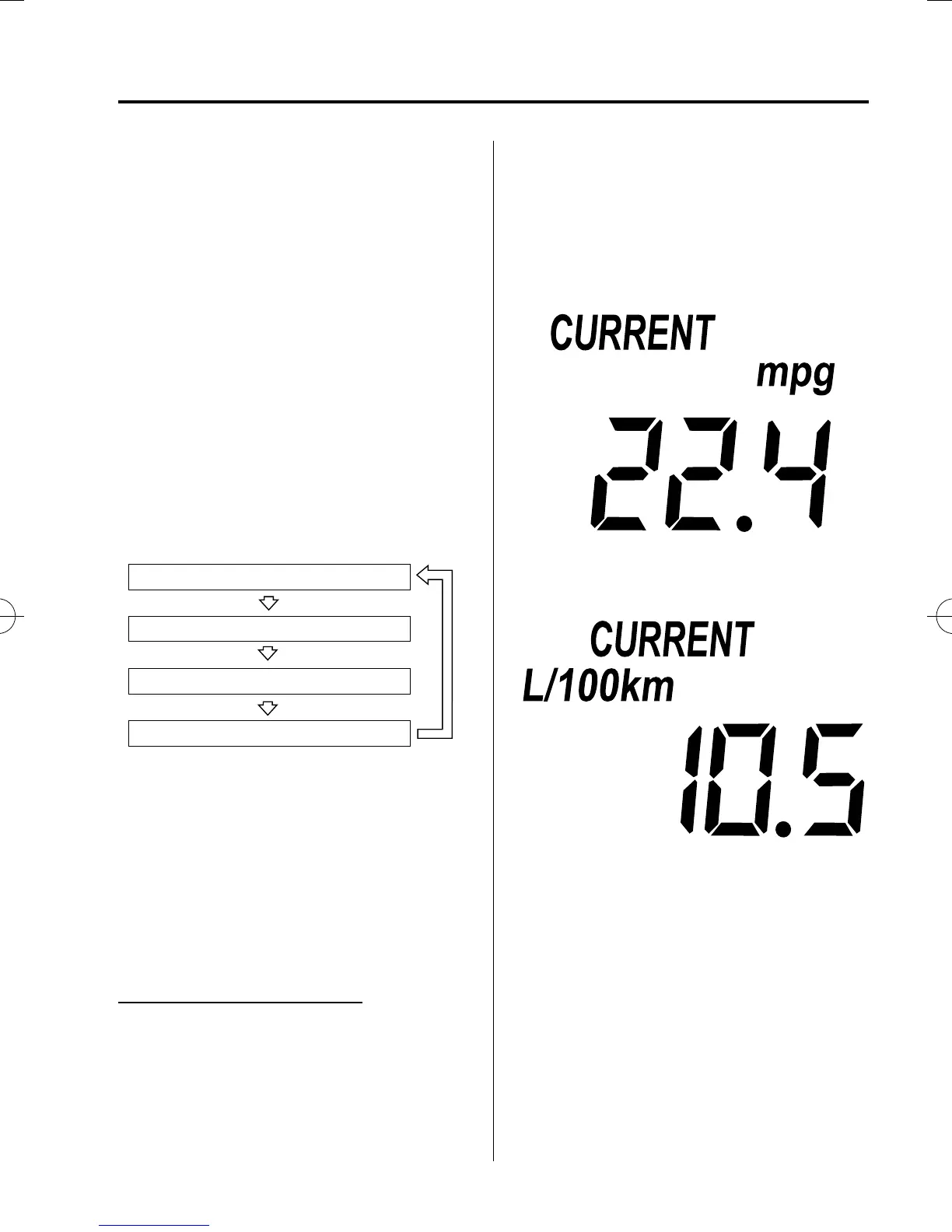
Press the INFO switch to change the
display mode.
Average vehicle speed mode
Distance-to-empty mode
Average fuel economy mode
Current fuel economy mode
If you have any problems with your trip
computer, consult an Authorized Mazda
Dealer.
Current fuel economy mode
This mode displays the current fuel
economy by calculating the amount of
fuel consumption and the dist ance
traveled.
Current fuel economy will be calculated
and displayed every 2 seconds.
When this mode is selected, CURRENT
will be displayed.
U.S.A.
CANADA
When you've slowed to about 5 km/h (3
mph), - - - L/100 km (- - -mpg) will be
displayed.
Interior Comfort
Interior Equipment
6-97
í
Some models.
Mazda5_8FA7-EA-15G_Edition3 Page293
Friday, December 4 2015 8:27 AM
Form No.8FA7-EA-15G





 To Next Page